4G LTE Function Lost When Firmware Update is Interrupted
Summary: The 4G LTE function is lost if a firmware (FW) update is interrupted on a Dell Chromebook 3110.
This article applies to
This article does not apply to
This article is not tied to any specific product.
Not all product versions are identified in this article.
Symptoms
Affected Platforms:
- Chromebook 3110
Normal behavior:
4G LTE user interface will disappear and resume after five minutes.
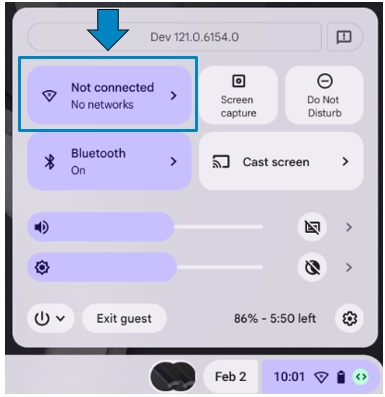
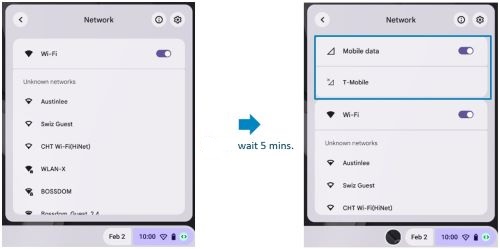
Abnormal behavior:
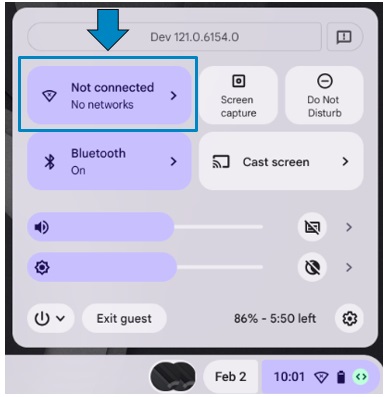
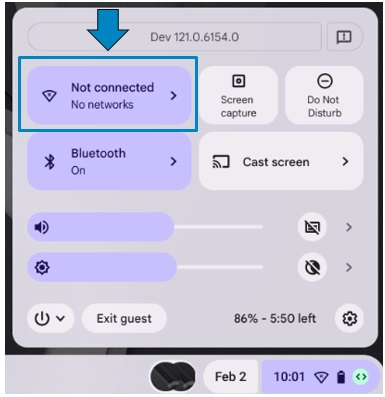
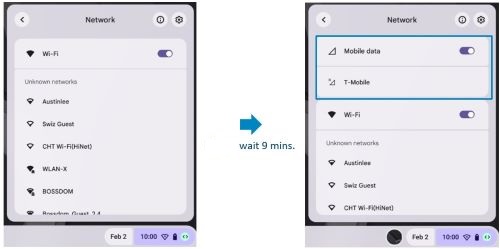
4G LTE user interface will disappear, but it will return to normal after nine minutes.
Cause
The computer triggers the FW update, or a SIM is inserted without any installation notification.
4G LTE starts the carrier FW upgrade in the background when the SIM is inserted for the first time, there are two conditions:
- Normal condition: 4G function and user interface will be ready after FW update complete. (Five minutes)
- Abnormal condition: Request takes up to nine minutes to complete FW recovery, this is due to the computer being powered off, the lid is closed, or the computer goes to sleep during FW update.
Resolution
- Plug in AC adapter for charging and boot into Chrome.
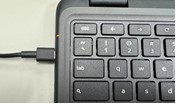
- 4G LTE will start for FW upgrade, the network icon is available after five minutes.
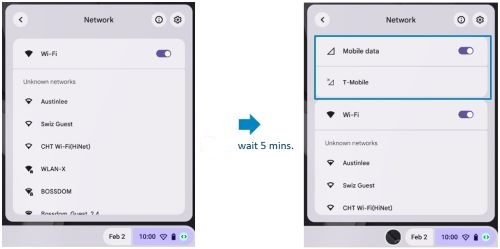
- Do not turn off computer, close the lid, or allow computer to go to sleep for five minutes while the FW upgrade completes.
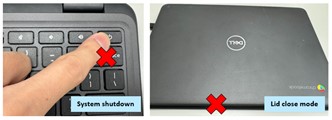
- If the computer is powered off, the lid closes or computer goes to sleep during the FW update, wait for up to nine minutes for the computer to return to a normal state for next boot.
Affected Products
Chromebook 3110Article Properties
Article Number: 000221715
Article Type: Solution
Last Modified: 09 Jul 2026
Version: 7
Find answers to your questions from other Dell users
Support Services
Check if your device is covered by Support Services.