

Unsolved
1 Rookie
•
13 Posts
0
3071
January 14th, 2023 18:00
G3223Q, blackouts, G-Sync on
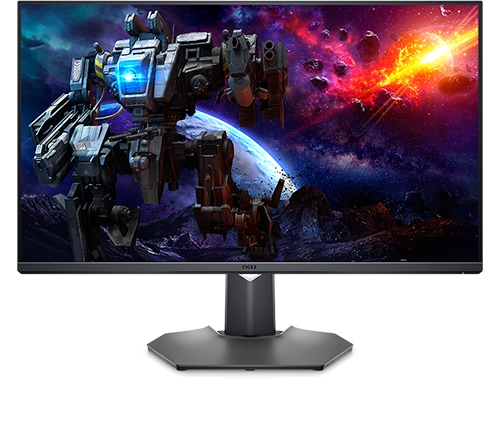
Dell 32 4K UHD Gaming Monitor G3223Q
I wanted to tell my story here, to help others and myself etc.
I set up a new G3223Q AMD FreeSync Premium Pro as my new main monitor around January 2nd 2023.
Things were going well and then I noticed that in Unreal Editor the screen would black out and come back on a second or 3 later. Often I would click over to other monitor and it would come back then black out as soon as I interacted with the G3223Q and Unreal Editor again. Then this would stop. It would only do this 3-6 times at the beginning of a session then not again until I restarted the program.
Today I decided to play Doom Eternal on high settings. I had some blackouts happening and Doom even hung. I killed the process and right away I noticed a green line on the monitor! In short the monitor is broken. This is not VGA. Its the screen and I already have a new replacement by Dell coming my way. It is possible this is a total coincidence, but honestly I don't know!
I started to investigate the blackouts. Is it my video card, or the cable, or the G3223Q?
I tried several things across my LG 144Hz QHD, my 60Hz 4K Cintiq and of course the Dell G3223Q 4K 144Hz.
Doom Eternal 4k, 144hz Dell, Full settings (including Ray Tracing) 60-65ctops - Lots of blacking out
Doom Eternal 1440(on the 4k), 144hz Dell, Full settings (including Ray Tracing) 57c tops - No blacking out
Doom Eternal 4k, 144hz Dell, Full settings (TURNED OFF Ray Tracing) 57-62c tops - Blacked out once early on then didn't at all
Doom Eternal 1440 native LG. 144hz. Full settings (including Ray Tracing) - ~55-60c tops Never blanks out. Acts great.
Doom Eternal 4k Native Cintiq. 60hz. Full settings (including Ray Tracing) ~50-55c tops - Never blanks out. Acts great.
Grounded 4k Highest settings I get about 80FPS. No blanking out or issues at all. ~60-65c tops.
The biggest thing that happened though is I decided to turn off G-Sync. This fixed everything. Unreal and Doom did not black out in the previously easily recreated instances of it!
After knowing this a quick search landed me here. Biggest talk is about updating Firmware to fix the issue. People seem positive on that. I have not done it yet but plan to soon and can test again and post back here.
M3T102, 8/18/2022
This is really odd. The monitor specifically says its G-Sync compatible is fine on its AMD FreeSync hardware, directly supported. You can even see that here = Dell AMD FreeSync Monitors that are Nvidia G-Sync Compatible
To be honest, I'm not 100% sure what happened or is going on? Could the G-Sync thing actually have broken the G3223Q? I would think not and that is just a coincidence. Perhaps the G3223Q has bad issues out of the box and its finally breaking down after weeks of use?
rv_el
1 Rookie
•
13 Posts
0
January 14th, 2023 19:00
I updated the firmware to what was posted on Reddit. Note : That is 102. If you go back and look for firmware from the main source I believe it is currently 103. I still did the 102 from Reddit because they said it fixes it so figured just shoot for that.
I enabled Gsync (yes the check box at the bottom and all that) and verified in the 3d Settings area and then ran the test that was going crazy with blackouts consistently and there were none! Doom Eternal Super Gore Nest gore area filled with enemies 4k, Ultra, Raytracing and ran around in there for a while and it all seemed great!
I only did this one test though real quick. Some on reddit said they have times where they still get small little flickers even after the update. Only time will tell for me.
But now I still have that broken panel. attached a photo of that.
I am receiving a new monitor hopefully in a few days. I think the plan will be to get that all set up and then use the same .exe flashing tool to see the version. If its already 102 or 103 then leave it but if its 101 i'm going to flash it immediately before doing anything else and then proceed. Hopefully the new monitor will be solid.
DELL-Chris M
Community Manager
•
56.9K Posts
•
232.1K Points
0
January 15th, 2023 06:00
The G3223Q is an AMD FreeSync Premium Pro monitor with limited Nvidia G-Sync compatibility.
While awaiting the replacement, why not install the newer November 24, 2022 Windows OS firmware M3T103 and retest?
K.Gabor
2 Posts
0
February 2nd, 2023 04:00
Hello!
I have the exact same problem as describe above. I tried to the newest 103 Firmware. Same problem.
For me G-Sync is not working as it should as well. I see screen tearing in many titles.
Not sure whats going on. Tried everything, Nvidia Driver, Frimware, different DP cables. Same result.
Still some black out time to time. G-Sync is faulty.
Regards,
Gabor
rv_el
1 Rookie
•
13 Posts
0
February 2nd, 2023 07:00
That is strange. Are there specific games or applications where you are getting the BlackOut?
I had that strange "coincidence" of the green line in the monitor after the first time I played Doom Eternal with the blackouts and a crash.
That monitor showed no blackout issues with Version 102 update.
I got the new monitor a few days ago and so far so good! It came with 103 on it. I played the same exact Doom Eternal test and it was excellent. No blackouts and from what I could tell the Sync was nice with no tearing (that I could tell).
Wish me luck on this working out! Swapping out monitors and shipping and all that is a total ordeal.
I need to try more games and situations out. The whole situation actually makes no sense to me. Valheim and Grounded had no issues at all. Unreal Engine would black out for a while then stop. Doom was a hot mess of blackouts but you could lower the graphic settings and it would be fine. Like playing at lower resolution basically fixed it which makes -no- sense to me!
I should go try Warzone and Back 4 Blood
K.Gabor
2 Posts
0
February 5th, 2023 13:00
The worst is MSFS. There is sever flickering sometime. The black out is just random in a couple hours.
Seems like a monitor try to change resolution.
I sent the monitor back. It is just too much problem for this.
Still waiting for answer from the service.
rv_el
1 Rookie
•
13 Posts
0
February 5th, 2023 14:00
Good luck. I hope I don't have any more issues! I'm a developer so this sort of thing is serious. I am still on the whole Work From Home thing and have to maintain a proper functioning machine.
I've been telling people that if they have something good going don't mess with it because new tech is total garbage for now. It's been bad. I bought a Asus Rog Swift for 2900 back in 2021 and it was pure garbage. Completely bad out of the box and because of the item and price Amazon was super wacky about the return. Scared me away from that so bad I just went back to my old LG monitor up until very recently getting this Dell. Which one already had to be sent back. QA is really bad on tech right now and I've had problems with all sorts of products from automotive tool boxes to tools and tech stuff.
GamingX
1 Rookie
•
17 Posts
1
September 13th, 2023 10:39
This is a 2022 model monitor. We are about to end 2023 and there is still no Nvidia driver, says Future. That's really a shame for a high-end Dell product.