PowerEdge: C6615 Red Hat Enterprise Linux Install May Fail When Media Is Mounted on Remote File Share
Summary: Installing Red Hat Enterprise Linux through the Dell Lifecycle Controller (LCC) when installation media is mounted over a Remote File Share (RFS) may result in a failed install. This applies to the Dell PowerEdge C6615 when using the Broadcom Lan on Motherboard (LOM). ...
This article applies to
This article does not apply to
This article is not tied to any specific product.
Not all product versions are identified in this article.
Symptoms
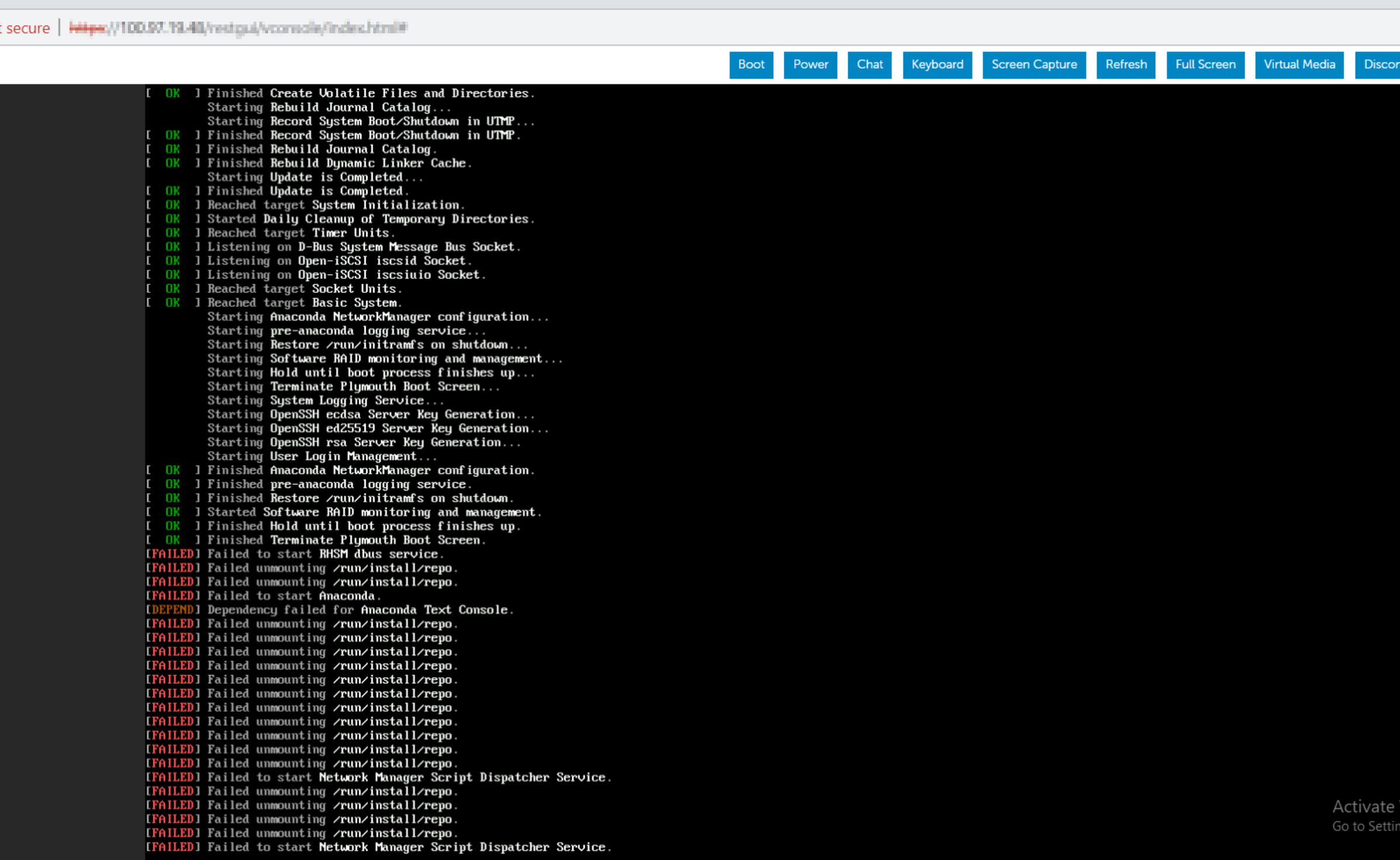
During installation of the operating system through virtual media, the install begins to experience failures.
Cause
Operating system installation fails due to slow RFS when read requests take more than 10 s. This delay results in a USB transaction timeout, causing operating system installation failure.
Resolution
Disconnect and reconnect the remote file share and try again.
Affected Products
Broadcom NetXtreme Family of Adapters, PowerEdge C6615, Red Hat Enterprise Linux Version 7, Red Hat Enterprise Linux Version 9, Red Hat Enterprise Linux Version 8Article Properties
Article Number: 000221405
Article Type: Solution
Last Modified: 19 May 2026
Version: 3
Find answers to your questions from other Dell users
Support Services
Check if your device is covered by Support Services.