VxRail: After Adding VxRail Successfully to SCG the Device Shows in SCG as "Failed"
Summary: This article explains a situation when after adding VxRail successfully to Secure Connect Gateway (SCG), the device shows in SCG as "Failed"
This article applies to
This article does not apply to
This article is not tied to any specific product.
Not all product versions are identified in this article.
Symptoms
Follow the standard process to add the VxRail cluster to Secure Connect Gateway (SCG):
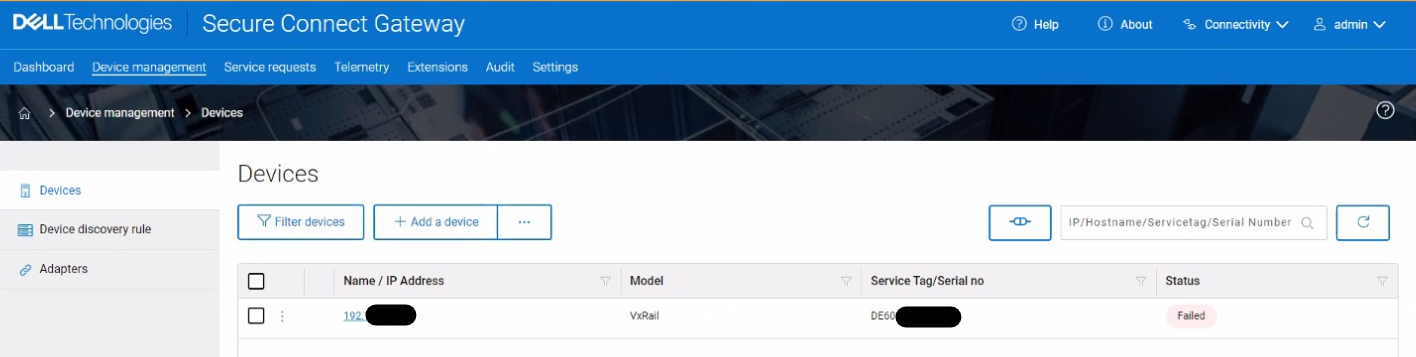
- Add VxRail cluster from plugin to SCG using the normal process.
- Test if the connection is successful.
- All is working as expected but when checking the device from managed devices in SCG, it shows as failed although everything is working fine.
Cause
This error is caused because App-polling is failing for the reported serial number due to port 22 is not accessible from SCG to VxRail.
SCG user interface checks the combination of keepalive and remote access status. If both are good, it displays the status of success.
SCG user interface checks the combination of keepalive and remote access status. If both are good, it displays the status of success.
Resolution
Check if VXM can reach SCG through SSH:
- SSH to VXM using putty
- Run:
ssh root@SCG_ip
orcurl -v telnet://SCG_IP:22
- If the error persists, enable port 22 between SCG and VXM.
Affected Products
VxRail, Secure Connect Gateway - Virtual Edition, VxRail Appliance Series, VxRail SoftwareArticle Properties
Article Number: 000203161
Article Type: Solution
Last Modified: 02 Feb 2026
Version: 5
Find answers to your questions from other Dell users
Support Services
Check if your device is covered by Support Services.