VPLEX:如何“封裝 HP-UX”
Summary: 本文詳細說明產生 SolVe Desktop 程序的步驟,以封裝 HP-UX 主機上的陣列。
This article applies to
This article does not apply to
This article is not tied to any specific product.
Not all product versions are identified in this article.
Instructions
如需在 HP-UX 主機上封裝陣列的程序,請前往下列位置的 Solve Desktop 程序產生器:
VPLEX -> 其他 -> 管理員 -> 管理員程序 -> 封裝 -> HP-UX
根據從以下兩個選項中選擇的封裝類型生成過程: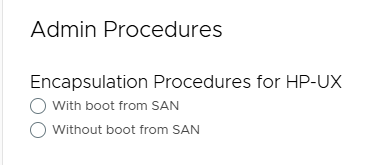
注意:如果需要 SolVe Desktop,請遵循 KB 文章如何下載和安裝 SolVe Desktop 。(需要有 Dell 支援帳戶才能檢視本文)
Affected Products
VPLEX, VPLEX GeoSynchronyProducts
VPLEX VS2, VPLEX VS6Article Properties
Article Number: 000158202
Article Type: How To
Last Modified: 30 Sep 2025
Version: 4
Find answers to your questions from other Dell users
Support Services
Check if your device is covered by Support Services.