IDPA: How to create and download a log bundle
Summary: This article explains how to collect a log bundle from the Appliance Configuration Manager (ACM) on an Integrated Data Protection Appliance (IDPA). The log bundle is essential for troubleshooting and support diagnostics. ...
Instructions
Create a Log Bundle.
1. Open the UI of the ACM in a browser by accessing the following URL:
https://<acm_ip_or_fqdn>:85432. In the upper right corner of the dashboard select "Create log bundle" from the context menu under the log generation icon.
3. Select either a single component from which to collect logs, or choose "Select. All" to collect logs from all components.
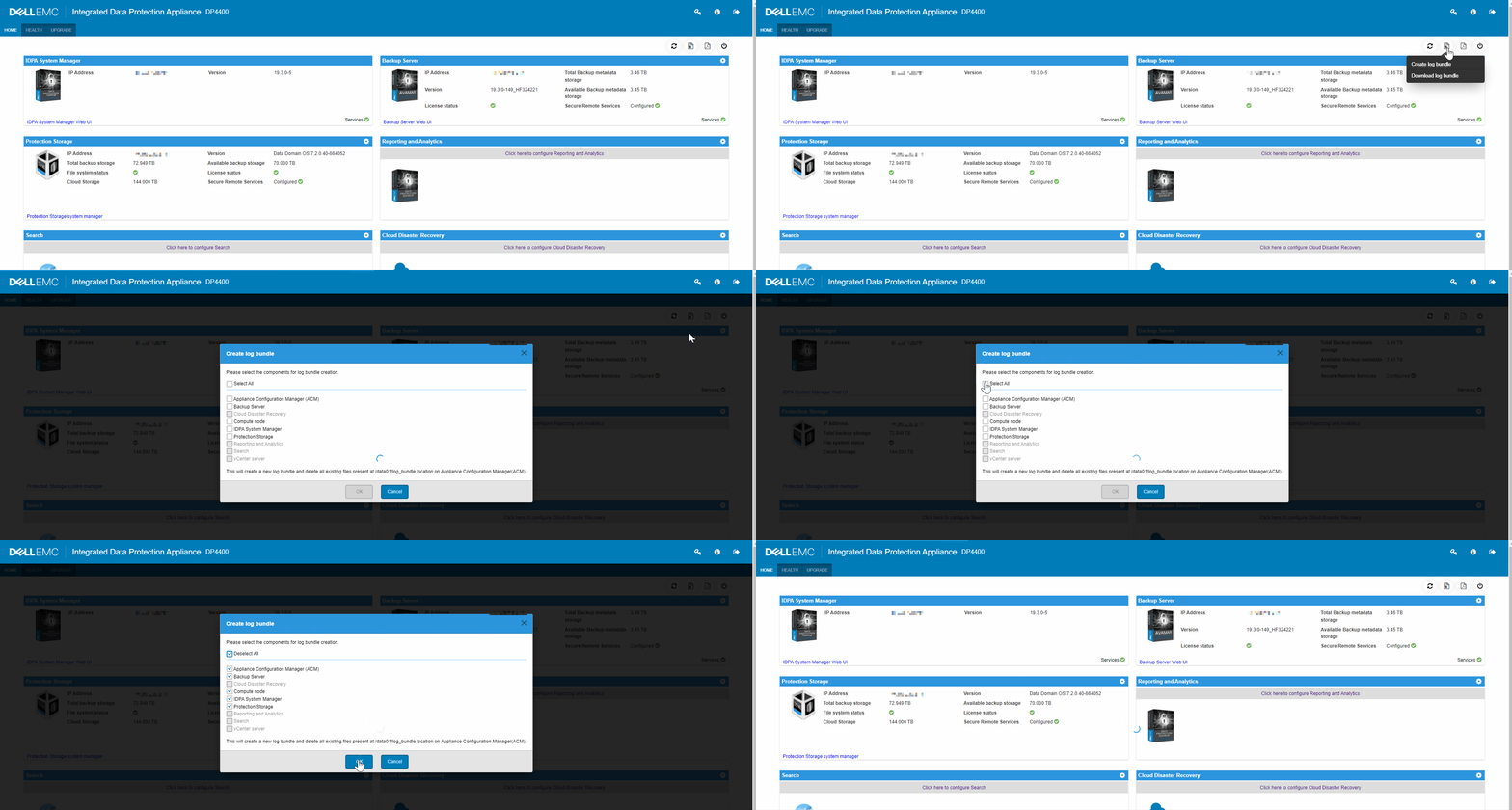
4. Select "OK" to generate the log bundle.
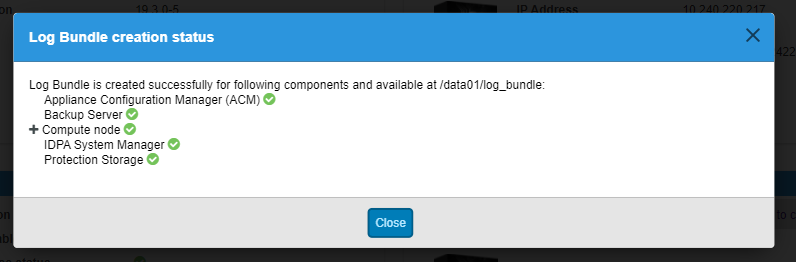
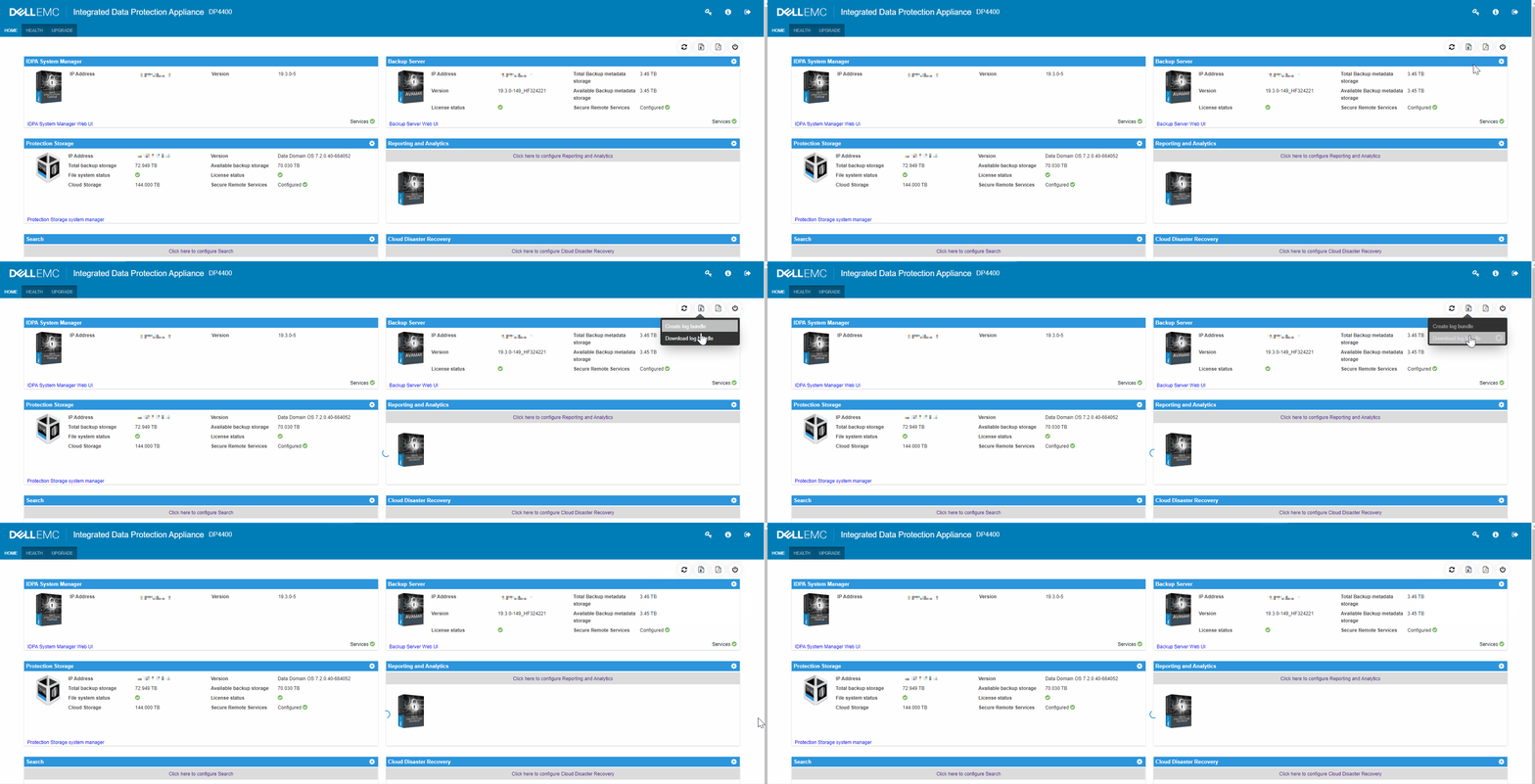
Download a Log Bundle
1. Open the UI of the ACM in a browser by accessing the following URL:
https://<acm_ip_or_fqdn>:85432. In the upper right corner of the dashboard, select "Download log bundle" from the context menu under the log generation icon.
Additional Information
If a TSR (Hardware) log bundle has been requested, refer to article: Data Domain: How to gather TSR logs
Video for IDPA Logs and Bundles.