Windows 11 中的“抱歉,面部设置出现问题”错误
Summary: 使用面部识别登录时出现“抱歉,面部设置出现问题”错误。必须使用计算机密码进行登录。
This article applies to
This article does not apply to
This article is not tied to any specific product.
Not all product versions are identified in this article.
Symptoms
使用面部识别登录 Windows 11 版本 24H2 时,出现“抱歉,面部设置出现问题”错误。
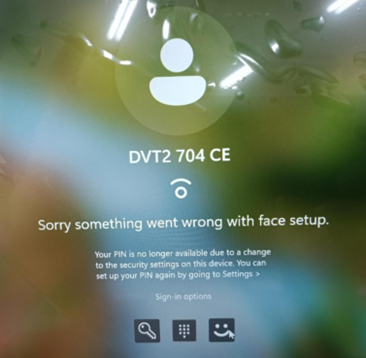
受影响的平台:
- Dell Pro 坚固机箱 13 RA13250
- Dell Pro 坚固机箱 14 RB14250
- Latitude 5450
- Latitude 5550
- Latitude 7450
- Latitude 7650
- Precision 3490
- Precision 3590
受影响的操作系统:
- Microsoft Windows 11 版本 24H2
Cause
在配备英特尔第 14 代处理器的计算机上,英特尔显卡和神经处理单元 (NPU) 驱动程序和戴尔可信设备 (DTD) 遇到与 Windows 11 24H2 的兼容性问题。由于设备上的安全设置发生更改,PIN 码不可用。
Resolution
- 使用计算机密码登录计算机。
- 使用 Windows 搜索
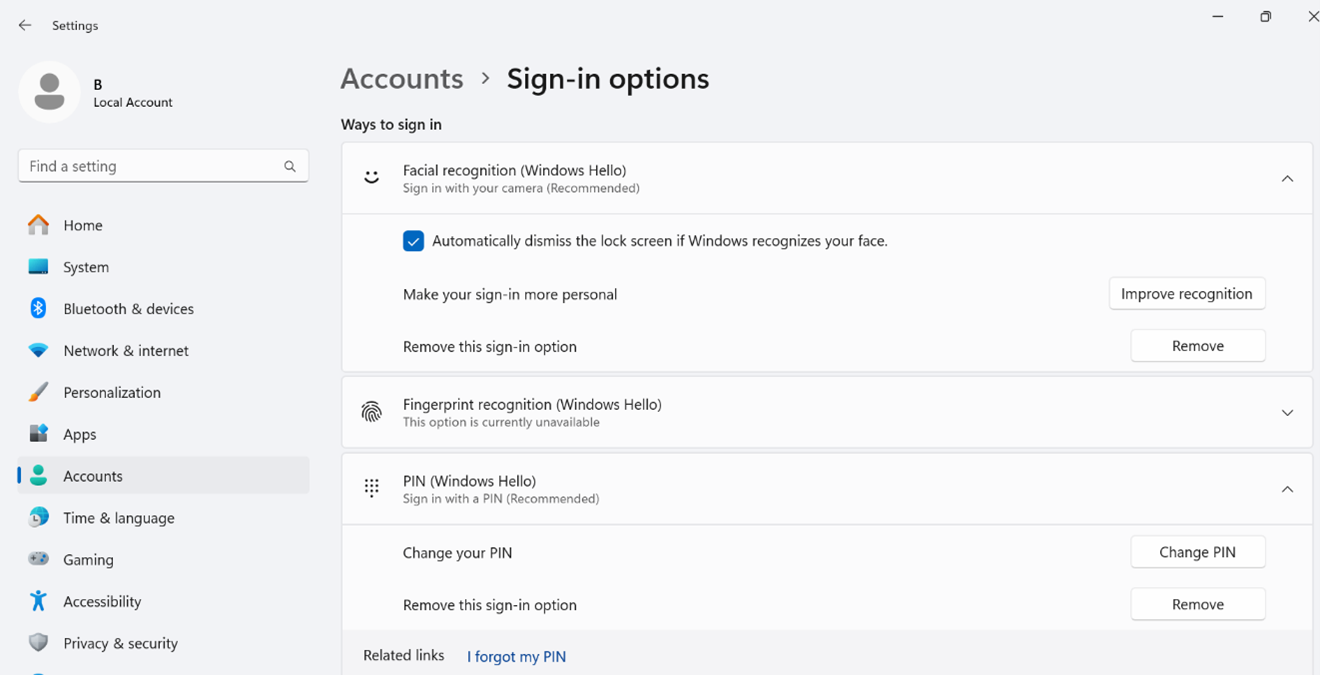
settings然后打开 Settings 页面。 - 选择 帐户, 然后转至 登录选项。
- 单击 删除 以删除面部识别和 PIN 注册。
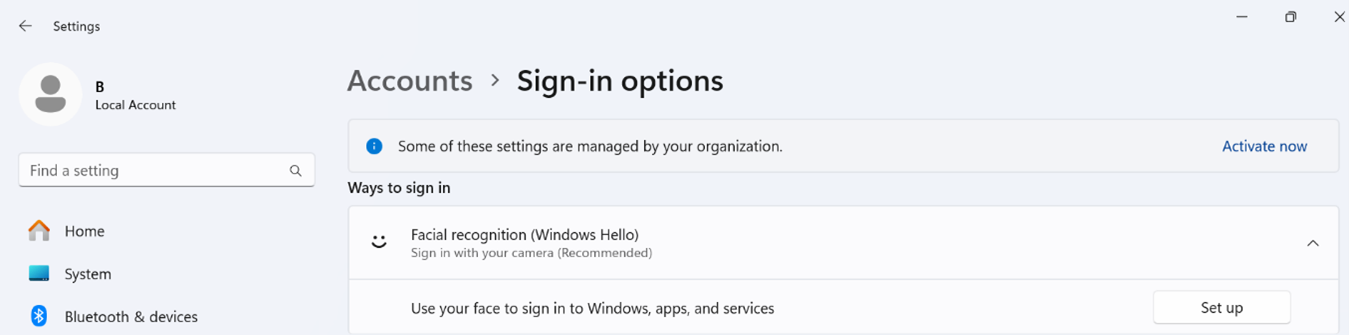
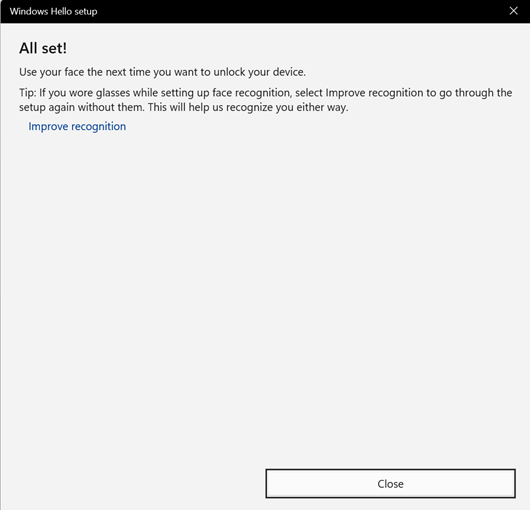
- 设置 面部识别登录。
注意: Dell Technologies 建议在进行第一次面部识别注册后,使用不同的面部角度来改进识别。
- 单击 提高识别度, 然后将脸稍微转向左侧。
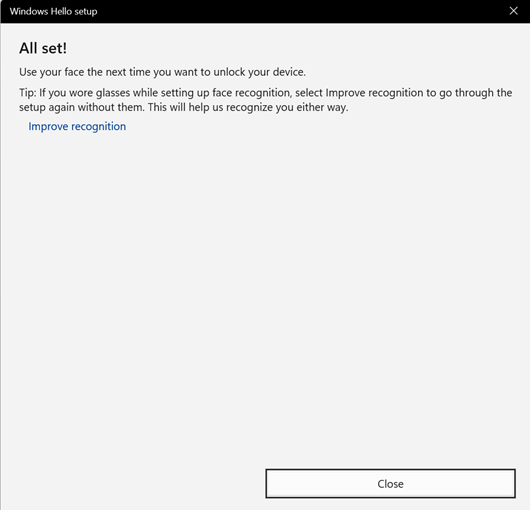
- 单击 提高识别度, 然后稍微将脸转向右侧。
Affected Products
Dell Pro Rugged 13 RA13250, Dell Pro Rugged 14 RB14250, Latitude 5450, Latitude 7450, Latitude 5550, Latitude 7650, Precision 3490, Precision 3590Article Properties
Article Number: 000233984
Article Type: Solution
Last Modified: 21 May 2026
Version: 5
Find answers to your questions from other Dell users
Support Services
Check if your device is covered by Support Services.