PowerProtect: The File Search button is no longer visible under the Restore section.
Summary: This KB article describes an issue in which the File Search option is no longer visible under the Restore section.
This article applies to
This article does not apply to
This article is not tied to any specific product.
Not all product versions are identified in this article.
Symptoms
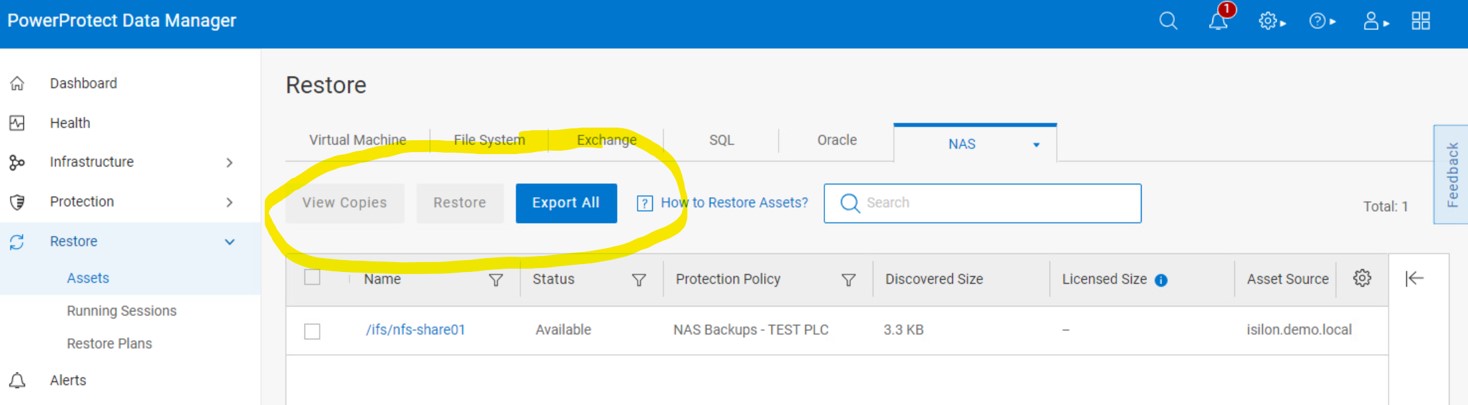
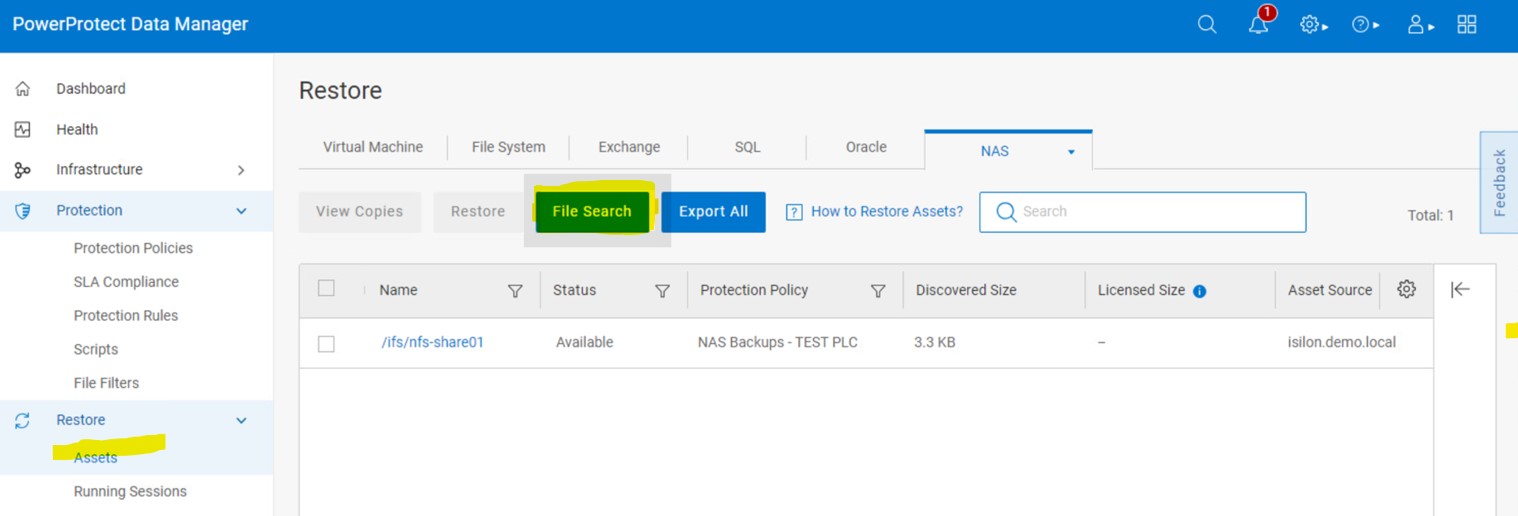
Under the Restore section of the PowerProtect Data Manager (PPDM) user interface (UI), the search option is no longer visible.
The following is an example in which the File Search button is missing:
The following is an example of the same page where the File Search button is present:
Cause
Before the File Search button displays, there is a check run against the search cluster.
The search cluster must be in operational mode, and nodes must be in a ready state.
If the search cluster is not in a healthy state, the File Search button is not displayed in the UI.
Resolution
Expand the Infrastructure section of the PowerProtect Data Manager UI, then select the Search Engine option.
Under Cluster Status, confirm that the cluster is in an Operational state and that nodes are in a Ready state.
Affected Products
PowerProtect Data Manager Appliance, PowerProtect Data Manager, PowerProtect Data Manager Essentials, PowerProtect Data Manager SoftwareArticle Properties
Article Number: 000257011
Article Type: Solution
Last Modified: 22 Aug 2025
Version: 2
Find answers to your questions from other Dell users
Support Services
Check if your device is covered by Support Services.