Dell Networking | SONiC | Failure to Register SONiC Switch into SCG
Summary: This is to show the criteria and the procedure for registration of SONiC Switch into SCG (Secure Connect Gateway in Virtual Edition).
Instructions
Here is a sample network diagram.

The following is the procedure to register SONiC switch into SCG with some criteria.
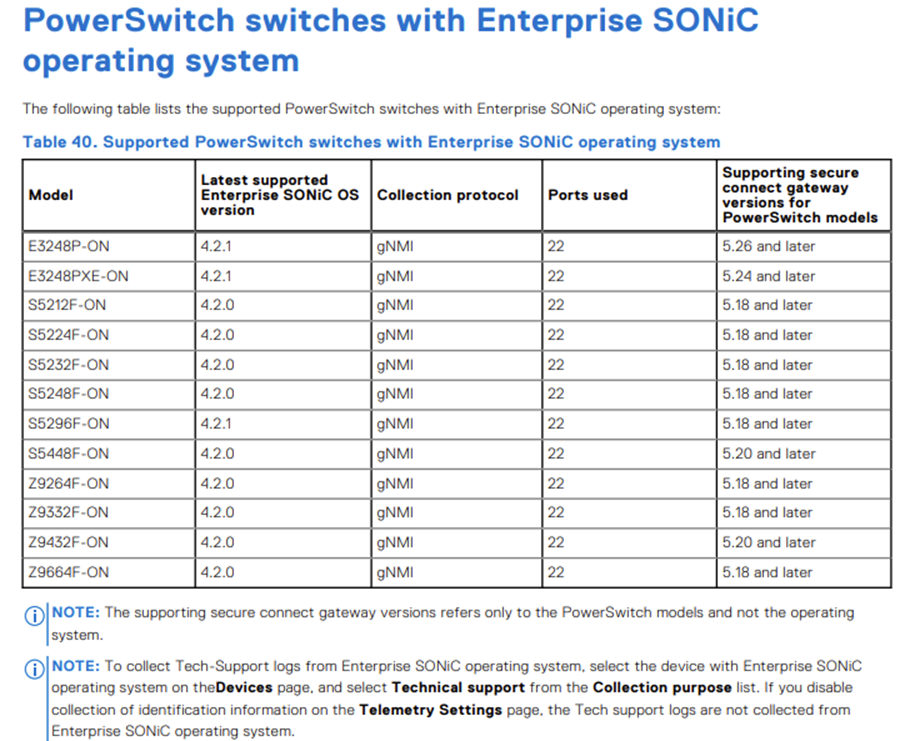
1. Check the compatibility matrix from the following link.
Secure Connect Gateway 5.x — Virtual Edition Support Matrix (P45)
2. Verify the network connectivity between SONiC switch and SCG.
test_SCG:~ # ping 10.123.4.141
PING 10.123.4.141 (10.123.4.141) 56(84) bytes of data.
64 bytes from 10.123.4.141: icmp_seq=1 ttl=63 time=0.201 ms
64 bytes from 10.123.4.141: icmp_seq=2 ttl=63 time=0.240 ms
64 bytes from 10.123.4.141: icmp_seq=3 ttl=63 time=0.208 ms
64 bytes from 10.123.4.141: icmp_seq=4 ttl=63 time=0.215 ms
3. Verify that SCG can log in SONiC switch by SSH.
test_SCG:~ # ssh admin@10.123.4.141
Debian GNU/Linux 10
admin@10.123.4.141's password:
Linux S5448F-ON-1 5.10.0-21-amd64 #1 SMP Debian 5.10.162-1 (2023-01-21) x86_64
You are on
  ____   ___  _   _ _  ____
 / ___| / _ \| \ | (_)/ ___|
 \___ \| | | |  \| | | |
  ___) | |_| | |\  | | |___
 |____/ \___/|_| \_|_|\____|

-- Software for Open Networking in the Cloud --

Unauthorized access and/or use are prohibited.
All access and/or use are subject to monitoring.

Help:    http://azure.github.io/SONiC/

Last login: Mon Feb 24 08:58:43 2025 from 10.89.248.92
admin@S5448F-ON-1:~$
admin@S5448F-ON-1:~$ show version

SONiC Software Version: SONiC-OS-4.2.0-Enterprise_Premium
Product: Enterprise SONiC Distribution by Dell Technologies
Distribution: Debian 10.13
Kernel: 5.10.0-21-amd64
Config DB Version: version_4_2_1
Build commit: b3aea3ecc9
Build date: Wed Nov 29 17:28:10 UTC 2023
Built by: sonicbld@bld-lvn-csg-02

Platform: x86_64-dellemc_s5448f-r0
HwSKU: DellEMC-S5448f-C48O8
ASIC: broadcom
4. Verify that TCP 8080 is permitted by SONiC switch and any devices between SONiC switch and SCG.
[This is the case where TCP 8080 is denied by SONiC switch or between SONiC switch and SCG.]
test_SCG:~ # telnet 10.123.4.141 8080
Trying 10.123.4.141...
^C

[This is the case where TCP 8080 is permitted by SONiC switch.]
test_SCG:~ # telnet 10.123.4.141 8080
Trying 10.123.4.141...
Connected to 10.123.4.141.
Escape character is '^]'.

Connection closed by foreign host.
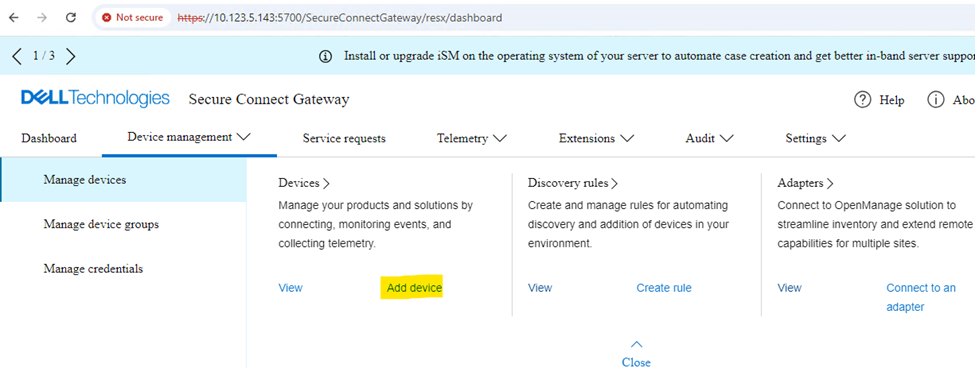
5. Add SONiC switch into SCG.
If necessary, create a new account before the registration of SONiC switch.
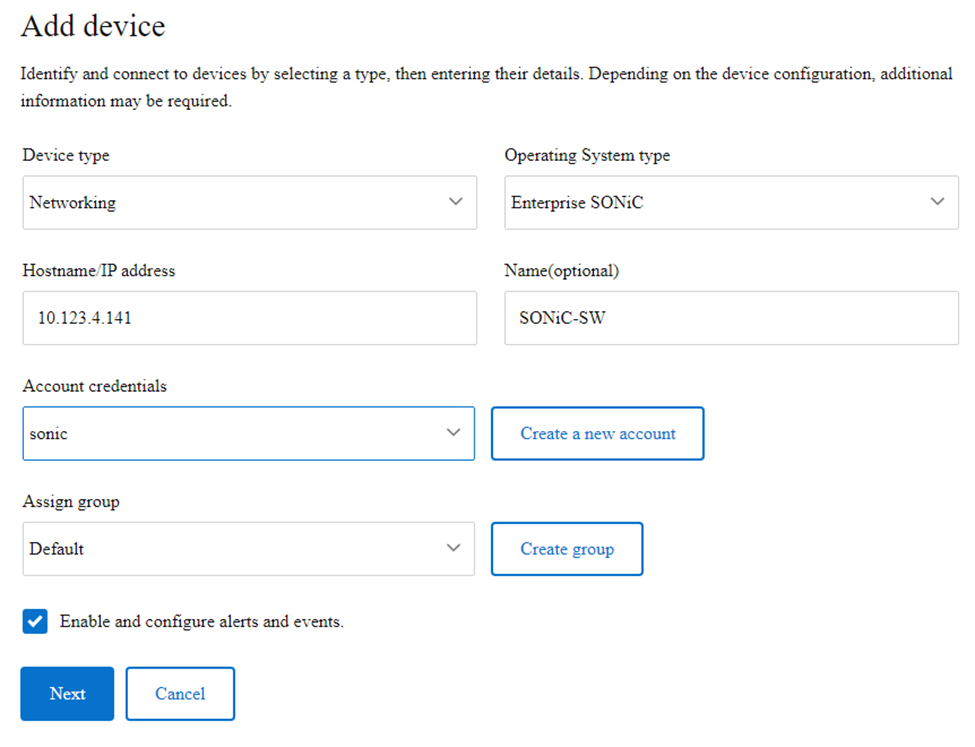
If there is no ACL to block TCP ports 8080 (gNMI) and 22 (SSH) between SCG and SONiC switch, the registration of SONiC switch will be successful as shown below.

This is the packet capture taken on the SONiC switch.
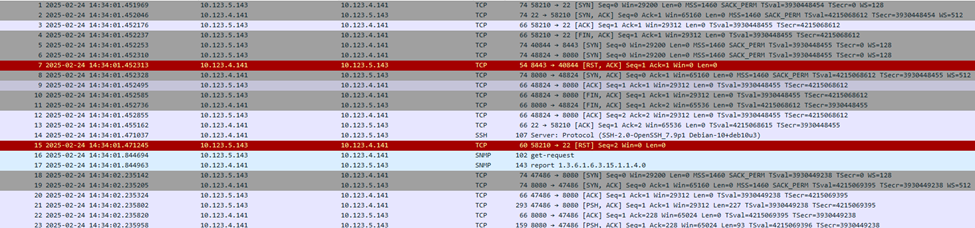
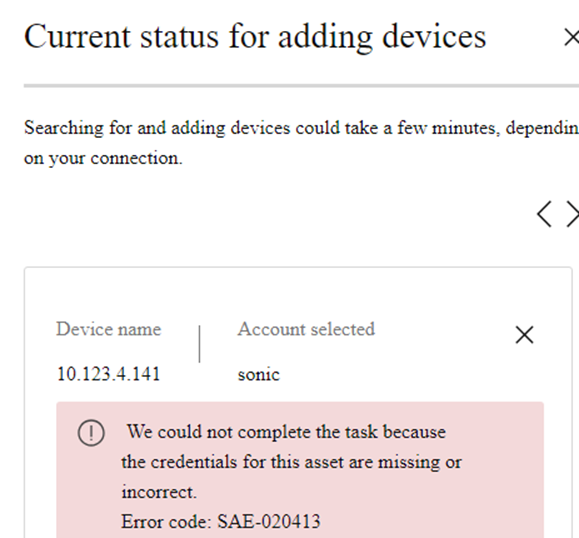
If TCP port 8080 is denied by SONiC switch, the registration of SONiC switch will fail with the following error as shown in the screenshot below.
S5448F-ON-1# show running-configuration line vty
!
line vty
 service-policy type qos in oob-qos-policy
  ip access-group controlplane in

S5448F-ON-1# show ip access-lists
ip access-list controlplane
    seq 1 permit tcp host 10.123.5.143 host 10.123.4.141 eq 8080
    seq 2 permit tcp host 10.123.5.143 host 10.123.4.141 eq 443
    seq 3 deny tcp any host 10.123.4.141 eq 8080
    seq 4 deny tcp any host 10.123.4.141 eq 443
    seq 10 permit tcp any any
S5448F-ON-1# configure terminal
S5448F-ON-1(config)# ip access-list controlplane
S5448F-ON-1(config-ipv4-acl)# no seq 1