Step by Step Guide to Migrate Wyse Management Suite
Summary: This guide helps Wyse Management Suite (WMS) administrators to migrate from one server to another.
This article applies to
This article does not apply to
This article is not tied to any specific product.
Not all product versions are identified in this article.
Instructions
Affected Products:
- Wyse Management Suite
Steps to migrate WMS from one server to another:
Prerequisites
- Both old and new WMS server should be on the same version.
- ConfigUI version should match the old and new WMS server.
Take back up of Mongodb and Mariadb from Old server:
- Connect to mongo shell and run the following command.
mongodump -ustratus -pP@ssw0rd --authenticationDatabase admin stratus --out “C:\temp –forceTableScan
- Connect to mariadb and backup mysql db:
Mysqldump --routines -ustratus --pP@ssw0rd stratus > c:\temp\wms.db.sql
- Export software vault keys from an old server:
- Download the software vault utility from Dell Support.
- Run the following command from the softwarevault key directory:
softwareVaultUtility-1.x.x.exe -mode export -password Dell#1234
- Copy mariadb/ mongodb/ software vault backup files to the new server.
Restoring in new server:
- Connect to mariadb:
mysql -hlocalhost -ustratus -pP@ssw0rd

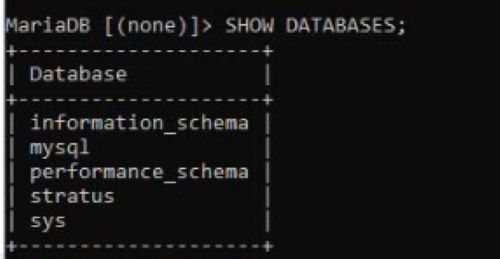
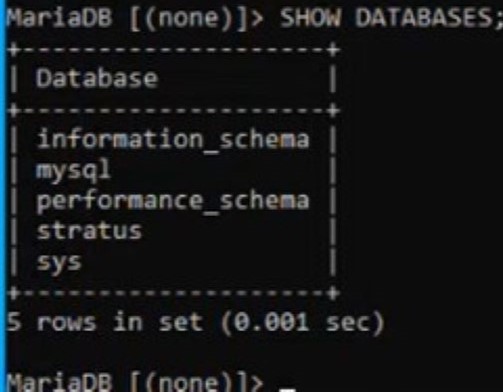
SHOW DATABASES;
- Drop the existing database in the new WMS server:
DROP DATABASE stratus;

- Create a Database in Mysql:
CREATE DATABASE stratus DEFAULT CHARACTER SET utf8 DEFAULT COLLATE utf8_unicode_cil
- Import the db from the copied location:
mysql -hlocalhost -ustratus -pP@ssw0rd stratus < PATH-OF-THE-FILE
- Import the software vault key to the new server:
softwareVaultUtility-1.x.x.exe -mode import -password Dell#1234
Note: Ensure to run the cmd prompt as administrator. - Restore mongodb using following command:
mongorestore -ustratus -pP@ssw0rd --authenitcationDatabase admin --db stratus --drop “Path-of-the-file”
- Reboot all WMS services
- Launch the console and login to WMS and verify that all devices/ group and configs are loaded fine and restored.
Note: If you are still having problems in loading groups and configs, reimport the configUI package and try again.
Affected Products
Wyse Management SuiteArticle Properties
Article Number: 000220352
Article Type: How To
Last Modified: 09 Dec 2024
Version: 2
Find answers to your questions from other Dell users
Support Services
Check if your device is covered by Support Services.