IDPA: 2.7.7 Hypervisor Manager Upgrade Fails at 25% Progress due to Missing vCenter Permissions
Summary: During an upgrade to IDPA version 2.7.7, a failure may occur during the "Hypervisor Manager" workflow if the vCenter root permission is missing or misconfigured.
Symptoms
The ACM UI may show a failure at 25% progress during the Hypervisor Manager upgrade.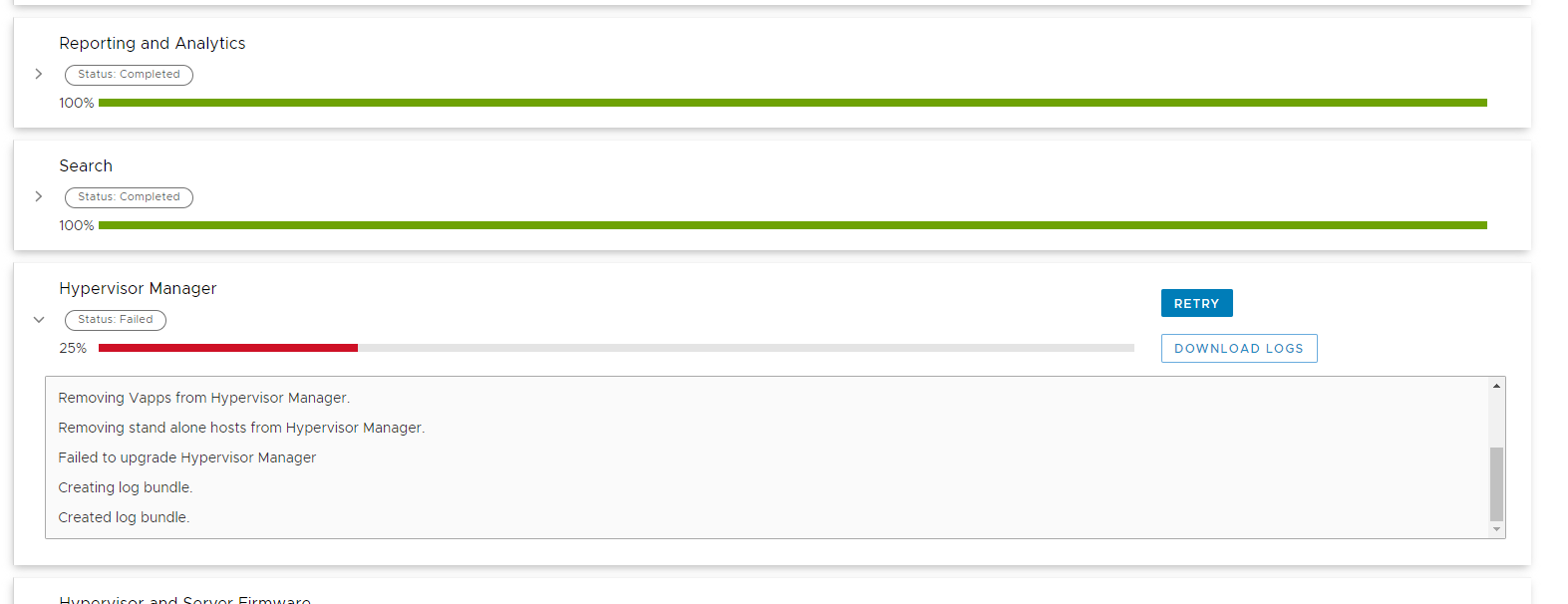
The upgrade logs (/data01/tmp/patch/logs) upgrade-utility.log may show a failure occurring when connecting to the vCenter.
2024-08-02 14:28:09,032 ERROR [upgrade-workflow-5]-vi.UpgradeVijavaAccess: removeStandaloneHosts-> Exception occured while removing host information from VCSA
com.vmware.vim25.NoPermission: null
        at sun.reflect.NativeConstructorAccessorImpl.newInstance0(Native Method) ~[?:1.8.0_311]
        at sun.reflect.NativeConstructorAccessorImpl.newInstance(NativeConstructorAccessorImpl.java:62) ~[?:1.8.0_311]
        at sun.reflect.DelegatingConstructorAccessorImpl.newInstance(DelegatingConstructorAccessorImpl.java:45) ~[?:1.8.0_311]
        at java.lang.reflect.Constructor.newInstance(Constructor.java:423) ~[?:1.8.0_311]
        at java.lang.Class.newInstance(Class.java:442) ~[?:1.8.0_311]
        at com.vmware.vim25.ws.XmlGen.fromXml(XmlGen.java:205) ~[vijava-5.1.jar:?]
        at com.vmware.vim25.ws.XmlGen.parseSoapFault(XmlGen.java:82) ~[vijava-5.1.jar:?]
        at com.vmware.vim25.ws.WSClient.invoke(WSClient.java:134) ~[vijava-5.1.jar:?]
        at com.vmware.vim25.ws.VimStub.destroy_Task(VimStub.java:1145) ~[vijava-5.1.jar:?]
        at com.vmware.vim25.mo.ManagedEntity.destroy_Task(ManagedEntity.java:137) ~[vijava-5.1.jar:?]
        at com.emc.vcedpa.upgradeutil.common.vi.UpgradeVijavaAccess.removeStandaloneHosts(UpgradeVijavaAccess.java:3451) [vcedpa-upgradeutil-2.7.7.jar:?]
        at com.emc.vcedpa.upgradeutil.common.vi.VCenterService.deleteEsxiFromVcsa(VCenterService.java:590) [vcedpa-upgradeutil-2.7.7.jar:?]
        at com.emc.vcedpa.upgradeutil.common.vi.VCenterService.vcsaRipAndReplace(VCenterService.java:215) [vcedpa-upgradeutil-2.7.7.jar:?]
Cause
Resolution
./goidpa vcenter permissions list
NOTE: If an issue is detected with the root user permissions, the following message will be present after the permissions list output:
2025-02-20T19:30:03.06Z WARNING: The root user has not been properly configured on the vCenter server
2025-02-20T19:30:03.06Z Please run the 'vcenter permissions fix' subcommand
To fix the permissions, run the following command on the ACM:
./goidpa vcenter permissions fix
Additional Information
To add the vCenter root permission, login to the vCenter UI as the "administrator@vsphere.local" user. Right-click the top-level vCenter object (The vCenter FQDN) in the inventory and select "Add Permission" from the context menu. Populate all fields with the following values, then select "OK" to continue.
Domain: localos
User/Group:  root
Role: Administrator
Propagate to children: select
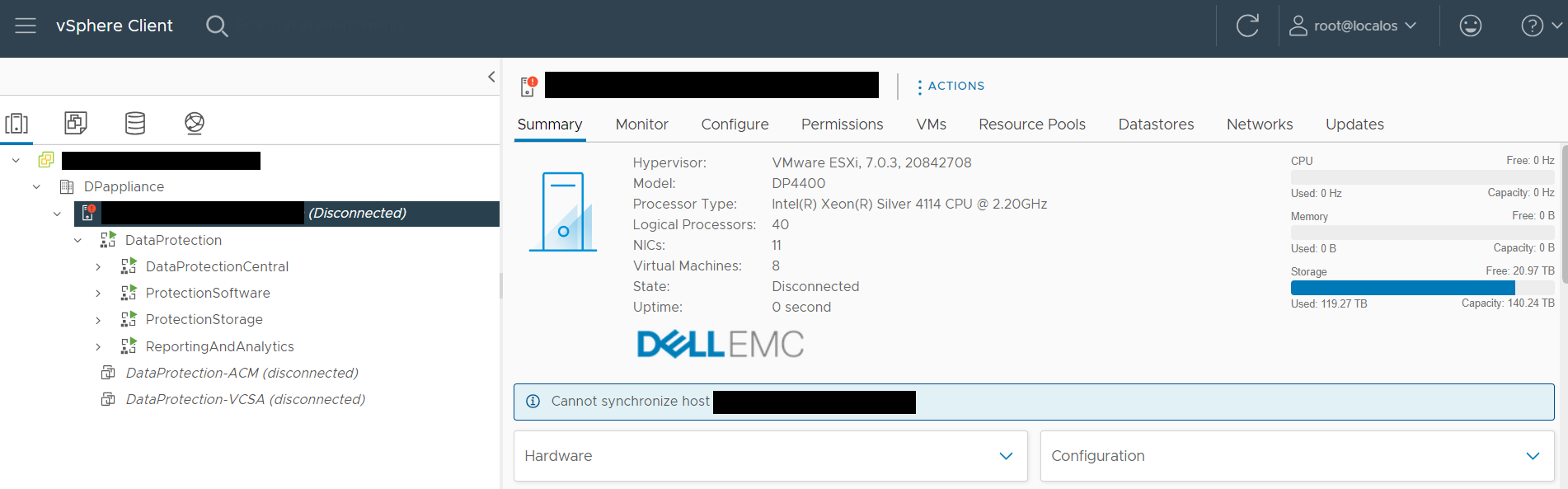
After performing this action, verify that the host or hosts is not in a "Disconnected" state. If shown as disconnected, right-click the host and select "Connection" -> "Connect" from the context menu, then retry the upgrade after the host has successfully reconnected to the vCenter server.