Dell Networking | SONiC | Error al registrar el switch SONiC en SCG
Resumen: Esto es para mostrar los criterios y el procedimiento para el registro del switch SONiC en SCG (Gateway de conexión segura en Virtual Edition).
Instrucciones
Este es un diagrama de red de muestra.

El siguiente es el procedimiento para registrar el switch SONiC en SCG con algunos criterios.
1. Consulta la matriz de compatibilidad desde el siguiente enlace.
Gateway de conexión segura 5.x: matriz de soporte de la edición virtual (P45)
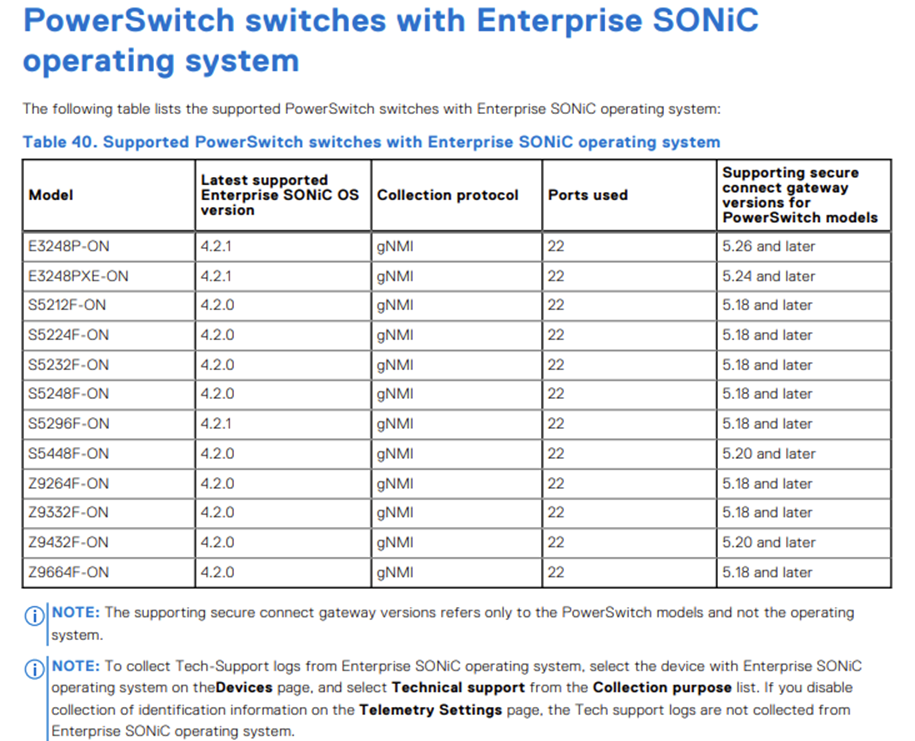
2. Verifique la conectividad de red entre el switch SONiC y SCG.
test_SCG:~ # ping 10.123.4.141
PING 10.123.4.141 (10.123.4.141) 56(84) bytes of data.
64 bytes from 10.123.4.141: icmp_seq=1 ttl=63 time=0.201 ms
64 bytes from 10.123.4.141: icmp_seq=2 ttl=63 time=0.240 ms
64 bytes from 10.123.4.141: icmp_seq=3 ttl=63 time=0.208 ms
64 bytes from 10.123.4.141: icmp_seq=4 ttl=63 time=0.215 ms
3. Verifique que SCG pueda iniciar sesión en el switch SONiC mediante SSH.
test_SCG:~ # ssh admin@10.123.4.141
Debian GNU/Linux 10
admin@10.123.4.141's password:
Linux S5448F-ON-1 5.10.0-21-amd64 #1 SMP Debian 5.10.162-1 (2023-01-21) x86_64
You are on
  ____   ___  _   _ _  ____
 / ___| / _ \| \ | (_)/ ___|
 \___ \| | | |  \| | | |
  ___) | |_| | |\  | | |___
 |____/ \___/|_| \_|_|\____|

-- Software for Open Networking in the Cloud --

Unauthorized access and/or use are prohibited.
All access and/or use are subject to monitoring.

Help:    http://azure.github.io/SONiC/

Last login: Mon Feb 24 08:58:43 2025 from 10.89.248.92
admin@S5448F-ON-1:~$
admin@S5448F-ON-1:~$ show version

SONiC Software Version: SONiC-OS-4.2.0-Enterprise_Premium
Product: Enterprise SONiC Distribution by Dell Technologies
Distribution: Debian 10.13
Kernel: 5.10.0-21-amd64
Config DB Version: version_4_2_1
Build commit: b3aea3ecc9
Build date: Wed Nov 29 17:28:10 UTC 2023
Built by: sonicbld@bld-lvn-csg-02

Platform: x86_64-dellemc_s5448f-r0
HwSKU: DellEMC-S5448f-C48O8
ASIC: broadcom
4. Verifique que TCP 8080 esté permitido por el switch SONiC y cualquier dispositivo entre el switch SONiC y SCG.
[This is the case where TCP 8080 is denied by SONiC switch or between SONiC switch and SCG.]
test_SCG:~ # telnet 10.123.4.141 8080
Trying 10.123.4.141...
^C

[This is the case where TCP 8080 is permitted by SONiC switch.]
test_SCG:~ # telnet 10.123.4.141 8080
Trying 10.123.4.141...
Connected to 10.123.4.141.
Escape character is '^]'.

Connection closed by foreign host.
5. Agregue el switch SONiC en SCG.
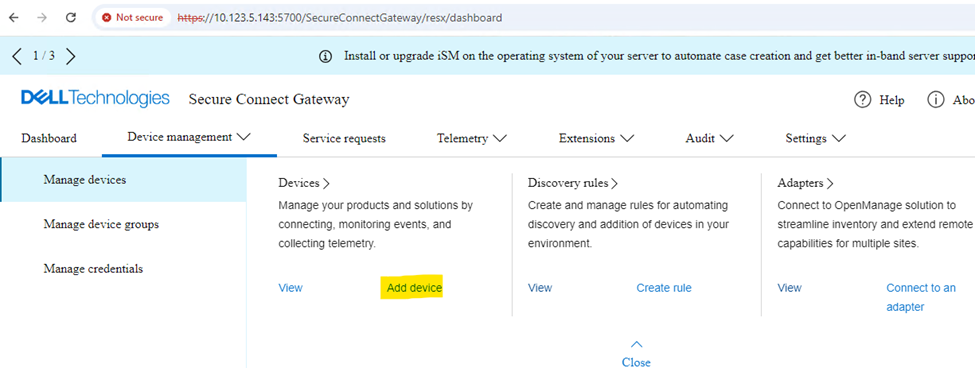
Si es necesario, cree una nueva cuenta antes del registro del switch SONiC.
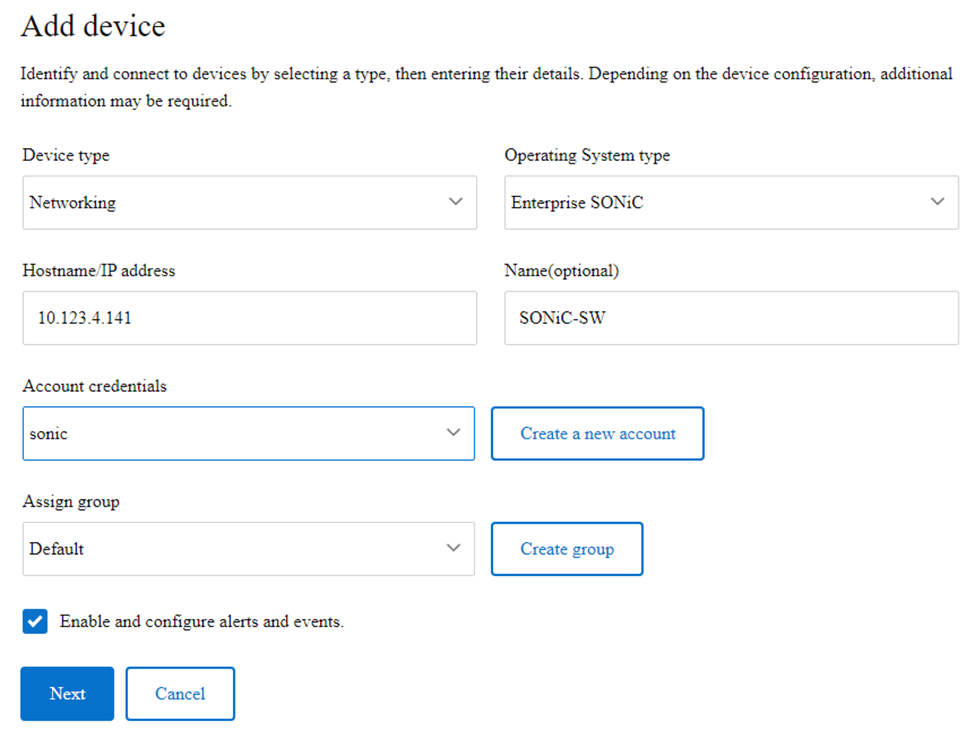
Si no hay una ACL para bloquear los puertos TCP 8080 (gNMI) y 22 (SSH) entre el switch SCG y SONiC, el registro del switch SONiC se realizará correctamente, como se muestra a continuación.

Esta es la captura de paquetes tomada en el switch de SONiC.
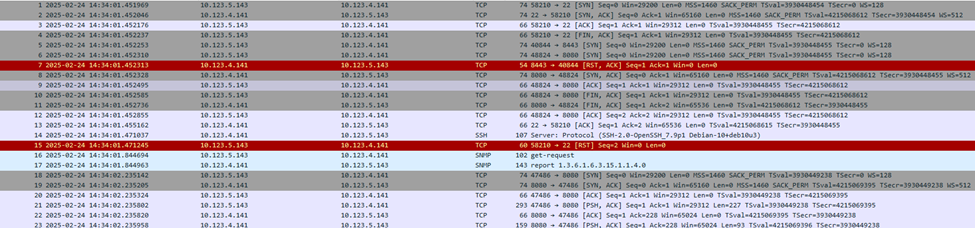
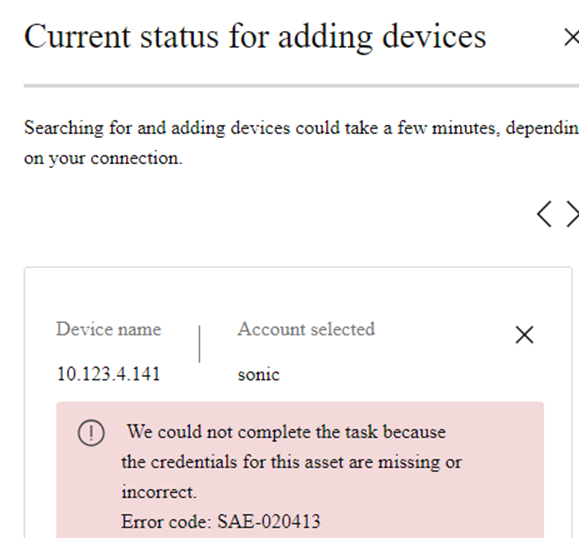
Si el switch SONiC rechaza el puerto TCP 8080, el registro del switch SONiC fallará con el siguiente error, como se muestra en la captura de pantalla que aparece a continuación.
S5448F-ON-1# show running-configuration line vty
!
line vty
 service-policy type qos in oob-qos-policy
  ip access-group controlplane in

S5448F-ON-1# show ip access-lists
ip access-list controlplane
    seq 1 permit tcp host 10.123.5.143 host 10.123.4.141 eq 8080
    seq 2 permit tcp host 10.123.5.143 host 10.123.4.141 eq 443
    seq 3 deny tcp any host 10.123.4.141 eq 8080
    seq 4 deny tcp any host 10.123.4.141 eq 443
    seq 10 permit tcp any any
S5448F-ON-1# configure terminal
S5448F-ON-1(config)# ip access-list controlplane
S5448F-ON-1(config-ipv4-acl)# no seq 1