Adobe Software at Dell Premier

Acrobat Studio – On Demand Webinars

Using Acrobat Studio in the Sales Cycle


Improving the sales cycle with Acrobat Studio


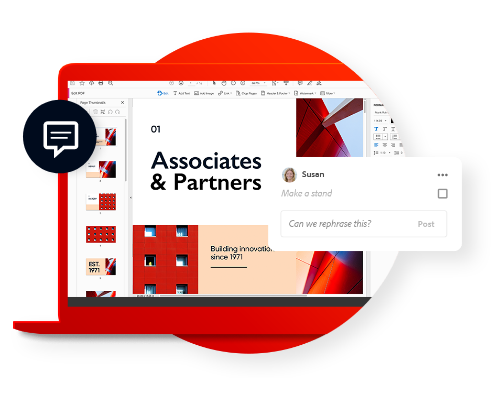
Watch this 15-min On-Demand webinar to discover how Acrobat Studio helps teams quickly surface insights and refine to polished proposals. 
By centralizing reviews, creation, and sharing in a single workflow, representatives deliver client-ready collateral faster and they stay on –brand.
Short on time? Download the presentation deck from Adobe experts to review at your own convenience. 
Adobe Acrobat Studio
Adobe Acrobat Studio.

Work smarter with Acrobat Studio

Now everyone in your business can do their best work with faster insights, standout content creation, and the PDF tools they trust — all in one place.

See why businesses choose Acrobat

Streamline the way you work, communicate, and transact business. Plus, get AI-powered assistance, integration capabilities, and built-in security tools.

Advance with AI-powered solutions

Let business move faster with the trusted solution for creating, editing, signing, and sharing PDFs and contracts. Use AI tools to uncover insights from documents faster and turn into impactful content. Streamline workflows, accelerate approvals, and boots collaboration at scale.

Collaborate seamlessly from anywhere

PDF Spaces allow you to upload up to 100 files to start your projects. Share access with teammates or clients and collect feedback in one place. Now everyone can review and request key information. Acrobat solutions intergrade to other productivity ecosystems such as Microsoft Copilot, allowing you to  get more done with no need to switch apps.

Experience enterprise-grade security & compliance

Safeguard systems and data with enhanced controls, advanced information protection, and secure cloud collaboration. Adobe is committed to responsible AI practices, with features built for business security and compliance where no customer content is used to train LLMs.

Explore the capabilities of Adobe Acrobat Studio

Adobe Learn Page LP Tiles Image
  • Create PDF Spaces to chat with your files and links to uncover insights — Collect files and links to create knowledge hubs. Chat for faster insights with precise citations. Add notes and revisit anytime.​
  • Share PDF Spaces with a personalized AI Assistant to deliver knowledge, not just files — Use a prebuilt AI Assistant like an analyst or instructor. Or easily personalize your own and help guide its responses.​
  • Easily create standout content with Adobe Express — Jump-start proposals, reports, or social posts with professionally designed templates. Then polish your content with simple tools and custom AI images.​
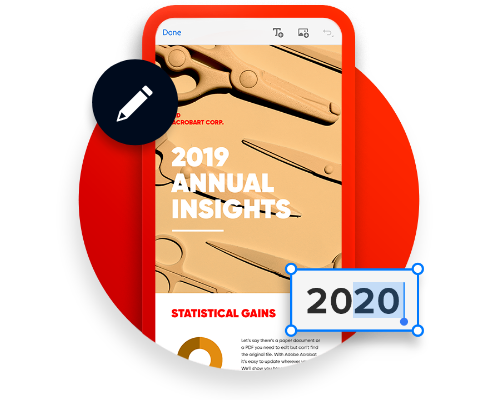
  • Get trusted PDF tools, now smarter and faster — Create, edit, and sign your documents with an essential set of PDF tools, now with AI summaries and insights — even for scans and contracts.​
  • Access exclusive admin tools — Easily manage licenses at the organization level, simplify billing for your company, get support when you need it, and more.

Acrobat works with your favorite business apps

Microsoft
Google logo
Dropbox logo
Box logo

Find the plan that's right for you

Contact us to find out more about plans and pricing for your business or to get support for your existing Acrobat plan.

Adobe Acrobat FAQ’s

  • Contact us for support if you have any questions. Please be aware that there might be slight variations for each brand. 

  • Adobe Acrobat helps organizations work more efficiently and achieve goals with document, e-signature, and generative AI solutions for desktop, mobile, and web, with integrations to other ecosystems such as Microsoft 365. You can take advantage of Acrobat Standard for editing PDFs and converting documents. To accelerate business, Acrobat Pro is the highly secure PDF and e-signature solution that offers faster insights, standout content creation with Adobe Express, and the PDF tools you trust – all in one place. 

  • Adobe Express Premium: Focuses on creating and designing visual content (social posts, videos, flyers, banners) with AI and templates.
  • Adobe Acrobat Pro: Focuses on creating, editing, signing, managing, and securing PDF documents. 
  • Adobe Acrobat Studio: Is the essential productivity solution with everything in Acrobat Pro, faster insights with Acrobat AI Assistant and PDF Spaces, and standout content creation with Adobe Express Premium. 

  • With Adobe and Dell, you get enterprise-grade security. You control your data with advanced tools to manage licenses and AI access.
  • Your data remains yours and is not used to train AI. You can reduce risk and avoid rogue app usage.
  • You have secure PDFs with advanced and customizable protection features like Microsoft Purview, digital IDs, watermarking, access controls, encryption, and sandboxing.
  • You stay compliant with industry-standard certifications: SOC, ISO, C5 Certified, FedRAMP Tailored, ISMAP Registered, GLBA ready, FERPA ready, and CSA Star Level.

  • When you subscribe to Acrobat Pro or Acrobat Standard, you pay a monthly or annual fee based on the plan you choose. Regular updates will ensure your product is the current release of Acrobat. You will not need to upgrade your product as long as you keep your subscription current. Contact us to learn more.

  • A full list of system requirements can be found here.

A complete creative ecosystem

Creative Cloud has the tools you need for any creative project, including 20+ apps for graphic design, photo editing, video editing, generative AI and more.
Adobe creative cloud
Get the ultimate toolkit for creativity. Adobe Creative Cloud All Apps includes 20+ apps plus generative AI features to turn your brightest ideas into your best work across any surface. Go anywhere your imagination takes you with tools for graphic design, photo editing, video editing, AI image generation, and much, much more.
Creative Cloud for enterprise edition 4

Get the ultimate toolkit for creativity

With a Creative Cloud for enterprise edition 4 plan, you get 20+ apps, enhanced with generative AI to accelerate workflows. Now, exclusive new features like Style Kits and Object Composites allow your team to place your product and brand assets inside generative AI environments with full creative control.
Adobe Photoshop New Features

Photoshop is the industry-standard image editor

Create beautiful graphics, photos, and art on desktop, web, and mobile. Now, powerful Adobe Firefly AI features help you elevate your images. The latest updates include third party models such as Nano Banana to give you better resources to breathe life into your creations.
Access a vast library of fonts and creative assets with Adobe Fonts and Adobe Stock.

Get more done with access to Adobe Stock

Discover plans like Creative Cloud Pro Plus for teams or Creative Cloud for enterprise edition 4 that include access to Adobe Stock standard assets. Search and license stock from directly within Adobe Photoshop or Illustrator, and use generative AI features to customize your assets.

Creative Cloud FAQ’s

Contact us for support if you have any questions. Please be aware that there might be slight variations for each brand.

  • With Adobe Creative Cloud Pro for teams, you get Adobe Firefly standard and premium creative AI features for images, video, and audio. For additional benefits, such as unlimited access to Adobe Stock standard assets and unlimited generative AI credits, explore a Creative Cloud Pro Plus for teams plan, or a Creative Cloud for enterprise edition 4 plan. Compare plan here.

  • Your individual Creative Cloud license lets you install apps on more than one computer and activate (sign in) on two. However, you can use your apps on only one computer at a time.

  • The Single App plan offers access to one Creative Cloud app of your choice, and the Pro plan offers access to more than 20 apps including Photoshop, Illustrator, and Premiere Pro for creative work across media.

  • No, the desktop apps in Creative Cloud, such as Photoshop and Illustrator, are installed directly on your computer. So, you don’t need an ongoing Internet connection to use them.

  • An Internet connection is required the first time you install and license your apps. But, you can use the apps in offline mode with a valid software license. The desktop apps attempt to validate your software licenses every 30 days.
  • Annual members can use the apps for up to 99 days in offline mode.

  • The apps are installed and run on your desktop, just like any other desktop application. The first time you download any individual creative apps, you automatically download Creative Cloud for your desktop. You use the Creative Cloud desktop app to access, download, and update any individual creative apps.

Adobe VIP Marketplace at Dell

Adobe Value Incentive Plan (VIP) for Commercial, Government and Education.

Adobe VIP Marketplace at Dell

For Commercial, Government and Education

Adobe VIP Marketplace is the evolution of Adobe VIP, replacing it with a new experience that accelerates the process of purchasing and managing your licenses. This transformation allows Dell to resell Adobe licenses in ways that meet your needs, through our Marketplace platform. With VIP Marketplace, you get streamlined automated purchasing, provisioning, and billing, with cost-effective options, volume discounts, and flexibility to meet your needs by acquiring different amounts of licenses in one transaction.
Transactional Licensing Program (TLP)

With 3-year Commit, get additional discounts

For commercial and government customers, 3-year commit provides an even bigger discount as compared to 1-year subscriptions. When VIP Marketplace Members accept the 3-year commit, their Discount Level is transitioned to the corresponding 3-year commit Discount Level, which has additional discounts. For more information on this plan, contact your Dell account manager.