Modernizing Virtualization with Dell PowerStore and Nutanix Cloud Platform
Introduction
Rising hardware costs, shifting hypervisor licensing, supply chain uncertainty, and other factors are pushing IT teams to do more with less. Customers are looking for products that enable them to avoid vendor lock-in, maximize infrastructure ROI, keep enterprise-grade performance, and maximize flexibility without added risk.
Dell Technologies and Nutanix have a long history, with the partnership spanning more than 14 years. In May 2025, Dell PowerFlex became the first external storage both supported by and integrated with Nutanix Cloud Platform (NCP). The co-engineered integration of Dell PowerStore with NCP is the natural next step, pairing enterprise-class storage services with the operational simplicity of Nutanix management in a modern disaggregated architecture.
Dell PowerStore is an advanced, all-flash, enterprise-grade, dual-controller storage platform that’s designed for efficiency, performance, resiliency, security, future-proof, built-in intelligence, and simplicity. Key PowerStore benefits include active/active architecture, automatic performance-based load balancing, individual drive expansion, end-to-end NVMe platform, unified architecture, simple interface, inline guaranteed data reduction, and native data protection.
NCP is a software-defined hybrid cloud framework that consolidates compute, virtualization, and networking, designed to help customers simplify operations by offering a highly adaptable platform, unified management plane, and flexible operating and consumption models.
How PowerStore and Nutanix work together
PowerStore with NCP is designed as a modern disaggregated architecture. The two platforms split the stack cleanly, and each has its own set of complementary roles and responsibilities. Nutanix handles the virtualization, compute cluster, and VM management while PowerStore delivers access to enterprise-grade storage and services.
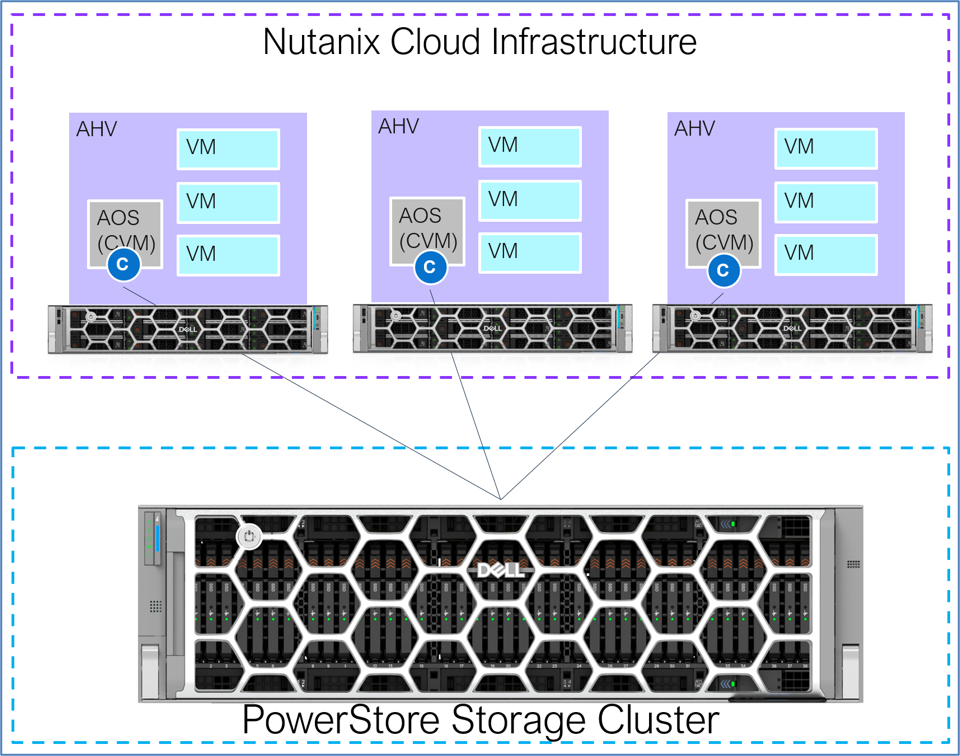
Administrators continue to manage virtual machines (VMs) through the familiar Prism interfaces and workflows. Storage operations are triggered on demand through a REST API communication channel and complete in a transparent and automated manner. When using PowerStore external storage for NCP, minimal storage expertise is required and there is no need to access PowerStore Manager for day-to-day VM administration. This allows Nutanix workloads to benefit from enterprise-class storage services without changing day-to-day operational practices. This approach combines the simplicity of Nutanix management with the advanced storage capabilities of PowerStore.
Dell Private Cloud
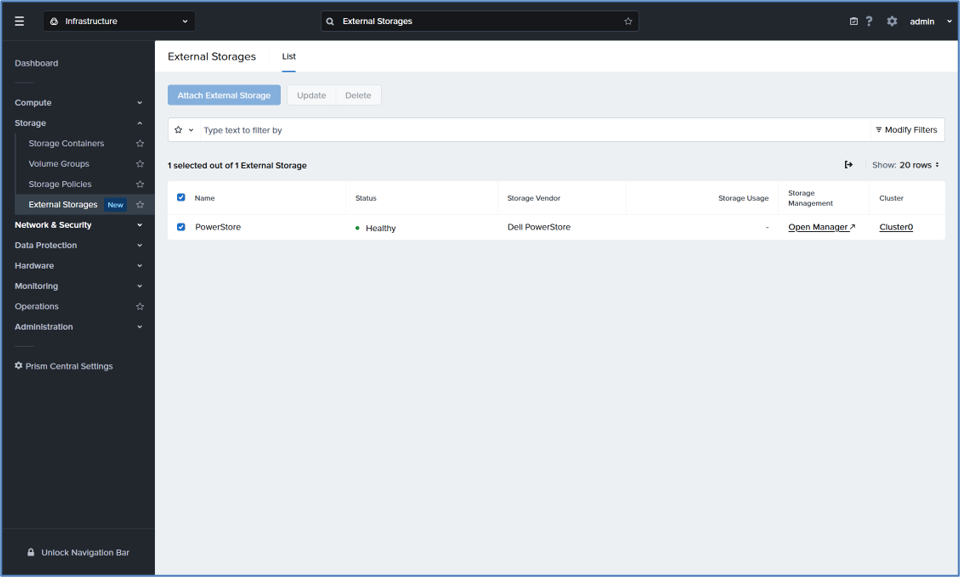
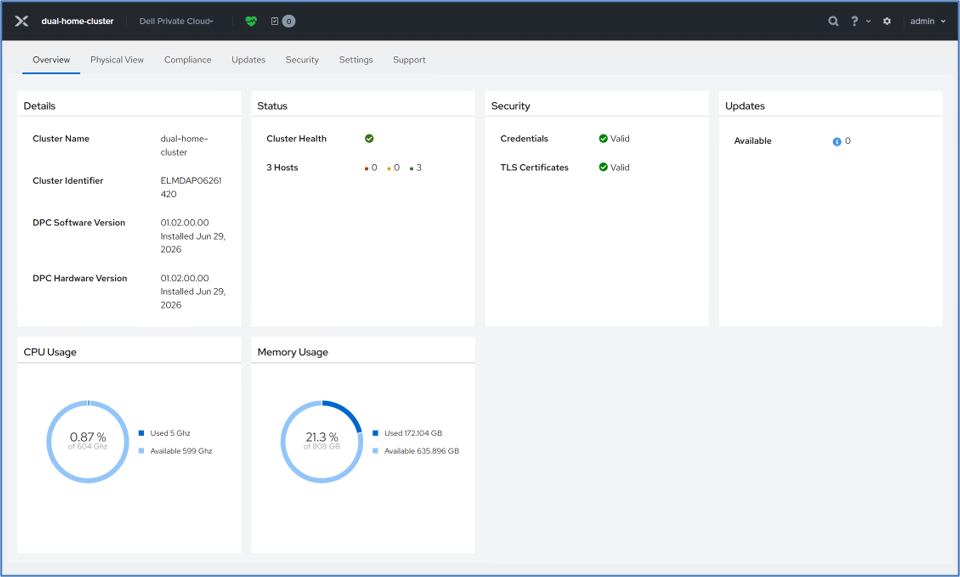
Dell Private Cloud (DPC) allows organizations to easily implement a private cloud operating model. DPC delivers a full stack automation solution with validated blueprints, intelligent lifecycle management, and Dell system-level hardware support, streamlining cluster deployment and operations while maintaining a continuously validated infrastructure state. DPC is recommended when deploying Nutanix on Dell PowerEdge servers and Dell storage.
DPC provides direct integration into Nutanix Prism. This extension adds a Dell Private Cloud menu, enabling administrators to to view hardware details, initiate lifecycle management operations, and provide serviceability capabilities. These tasks can be completed while staying in the familiar Prism interface with minimal manual intervention.
Customer value and benefits
By pairing Nutanix’s software-defined virtualization with PowerStore’s enterprise storage, organizations gain a future-ready foundation that addresses today’s top IT priorities: improving cybersecurity and resilience, maximizing ROI, and modernizing infrastructure.
Key benefits include:
- Independent scaling: Scale compute and storage independently to right-size infrastructure, avoid under and over-provisioning, customize as requirements change, allow single drive scalability, and consolidate workloads onto a shared storage platform. This provides potential cost savings for licensing, power, and cooling.
- Operational simplicity: Manage VM-centric workflows through a single pane of glass in Prism while storage provisioning is done transparently in the background, alleviating the need for storage expertise.
- Enterprise-grade services: Dell PowerStore provides valuable benefits such as data reduction, snapshots, thin clones, drive protection, and encryption. Offloading storage operations to a purpose built storage system lightens the load and potentially frees up compute resources. Nutanix provides VM async/sync/Metro Availability replication, Nutanix Kubernetes Platform (NKP) integration, and other key features that strengthen the combined platform.
- Optimized performance: Leverage PowerStore’s high-performance and low-latency end-to-end NVMe architecture. Storage is accessed over industry-standard a 10 GbE, 25GbE, or 100GbE NVMe/TCP network, removing the need for any proprietary hardware. In addition, PowerStore’s active/active architecture and Dynamic Node Affinity (DNA) for automated load balancing keeps performance evenly distributed and highly available.
- A complete Dell foundation: Leverage Dell PowerEdge servers, PowerSwitch networking, PowerStore storage, and PowerProtect data protection for an end-to-end disaggregated deployment. Layer on Dell Private Cloud and AIOps to unlock full stack automation and cloud-based monitoring and analytics.
- Investment protection and flexibility: Reuse existing servers and PowerStore systems while modernizing the hypervisor environment. Use the same instance of Prism Central to monitor both Hyperconverged (HCI) and disaggregated environments. VMs can also be replicated and live migrated between the two deployment types.
Key features and data services
PowerStore and Nutanix both have a rich set of native data services. Some of the key capabilities that each product contributes include the following.
Always-on data reduction
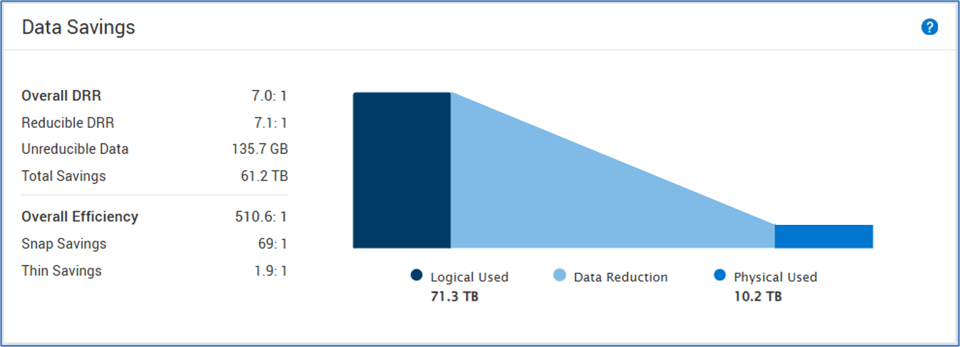
Every PowerStore volume benefits from always-on and inline data reduction that includes Intel® QAT-offloaded compression and global deduplication. This delivers consistent storage efficiency with no management required. It’s also backed by a data reduction guarantee on reducible data (up to 6:1 on Gen 3 systems) with no assessment needed. Because data reduction is transparent to Nutanix, administrators get these savings automatically as VMs are deployed.
Offloaded snapshots and thin clones
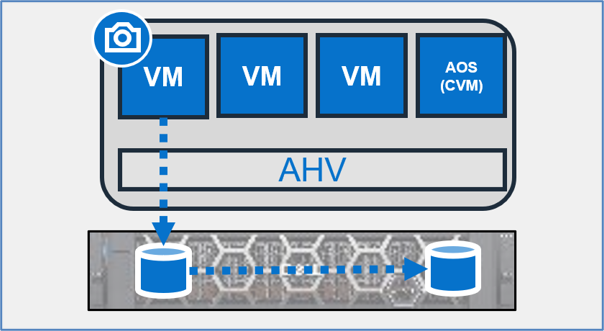
Snapshots capture point-in-time views of a VM. Clones provide writeable copies that can be used without impacting the parent VM. All snapshot and clone operations are offloaded to and serviced by PowerStore. PowerStore snapshots and thin clones are thin, deduplicated, and use pointer-based redirect-on-write technology to maximize efficiency. This enables rapid data protection and provisioning for test/dev, analytics, and scaling use cases.
Built-in, zero-trust security
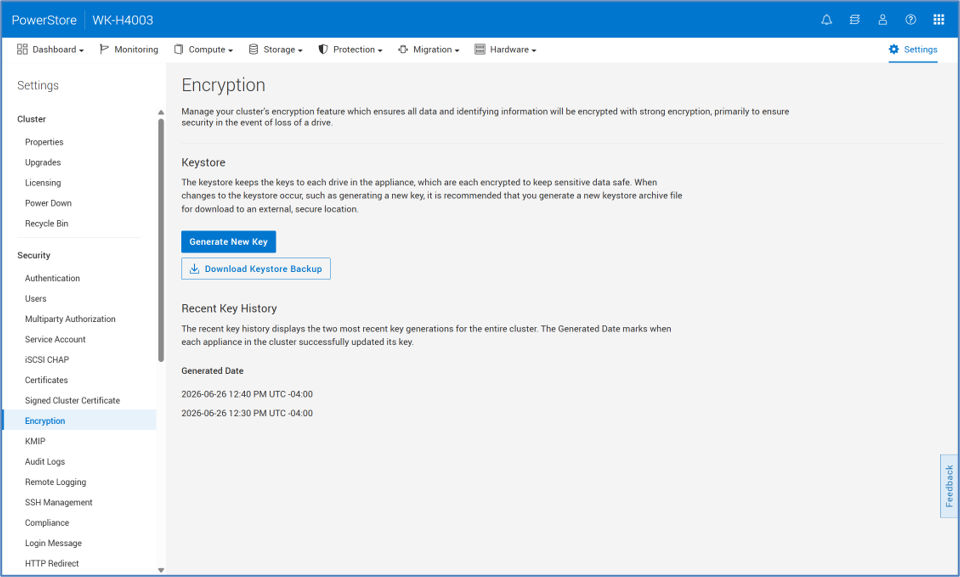
All PowerStore systems have data-at-rest encryption (D@RE) enabled, leveraging Self-Encrypting Drives (SEDs) to protect data if a drive is ever stolen. PowerStore handles key management automatically and provides the ability to rotate keys on demand. For an added layer of protection, an optional external key manager can be configured using Key Management Interoperability Protocol (KMIP). Combining D@RE with an immutable hardware root of trust, optional FIPS 140-3 validated drives, and a secure boot chain of trust provides a comprehensive security framework for your valuable data.
Enterprise-grade resiliency
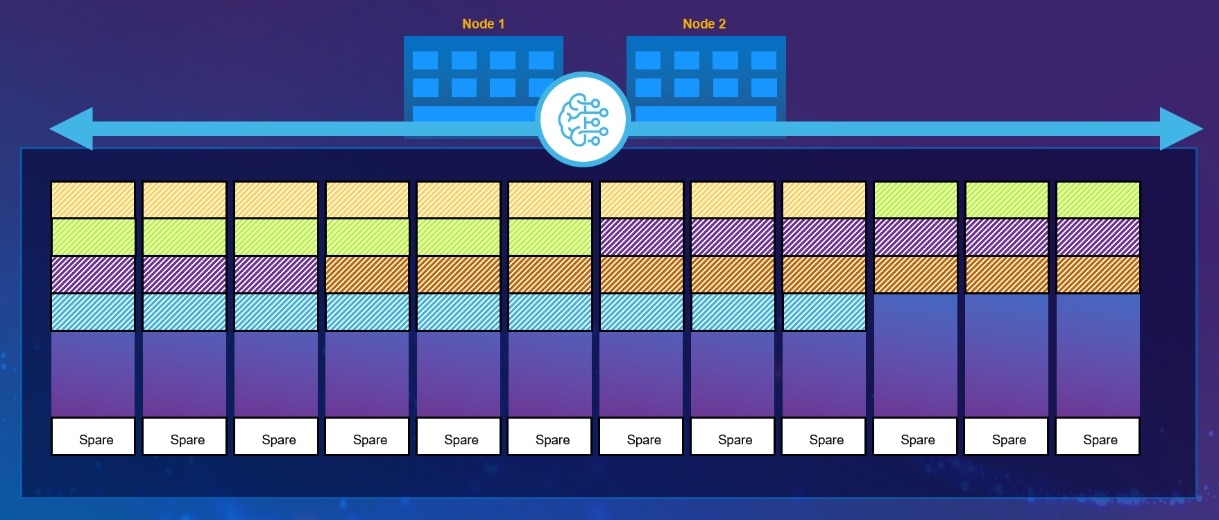
PowerStore’s Dynamic Resiliency Engine (DRE) is a 100% software-based approach to redundancy that is more distributed, automated, and efficient than traditional RAID. DRE allows capacity to be expanded by one drive at a time instead of drive packs. In addition, drives of different sizes can also co-exist within the same appliance.
DRE also handles drive sparing in an intelligent manner, spreading spare space across multiple drives which enables quick recovery in the event of a drive failure. Only the portion of the drive that holds data is rebuilt, and the rebuild operation is distributed across multiple drives in parallel. The rebuild speed is automatically managed by PowerStore based on utilization with a priority for host IO.
Comprehensive data protection and disaster recovery
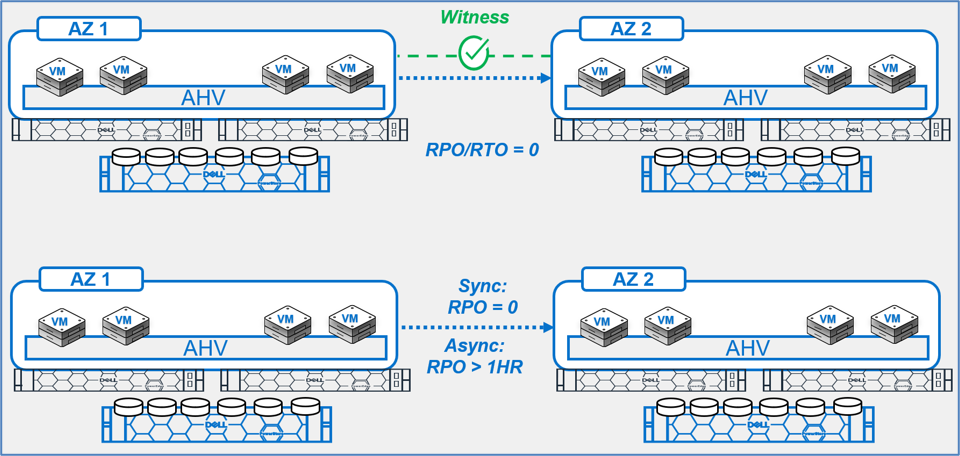
VMs can be protected using Nutanix policy-based disaster recovery in Prism Central. It offers flexible options that include asynchronous replication, zero-RPO synchronous replication, and Metro Availability with automatic failover.
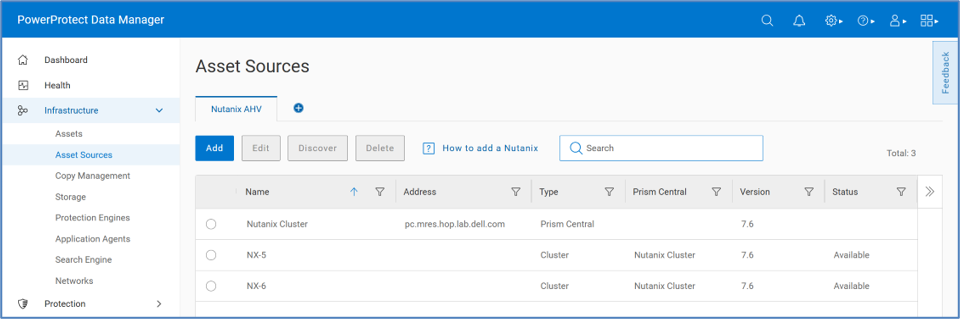
For backup operations, Dell PowerProtect Data Manager (PPDM) integrates with Prism Central to discover and protect AHV VMs on a scheduled basis. The PowerProtect Data Domain (PPDD) protection storage can run as a physical appliance, virtual appliance, or cloud-based VM. Protected VMs are cataloged and can be restored to the same VM or a new VM.
Simplified and quick deployment
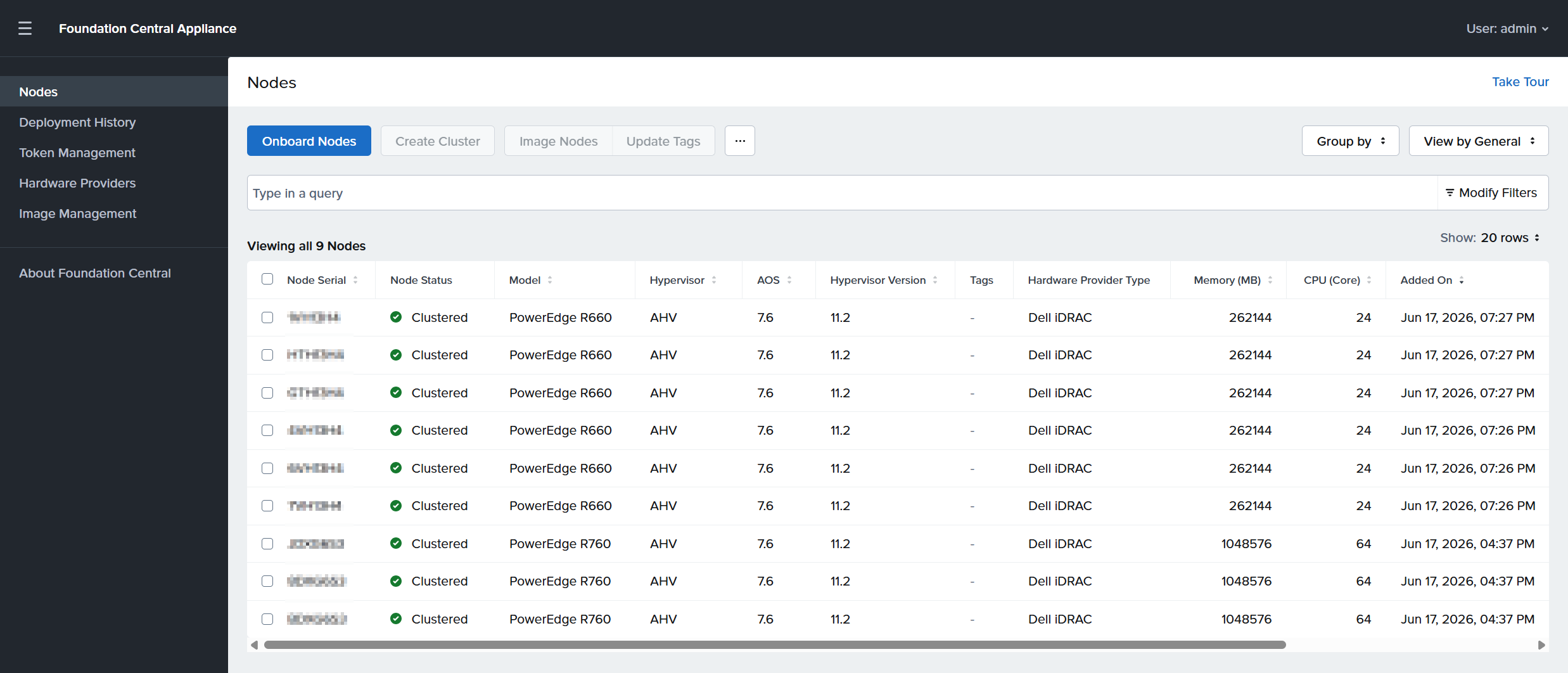
This integration was co-engineered by Dell Technologies and Nutanix to deliver an automated process that minimizes the time and effort required for deployment. Nutanix Foundation Central automates AHV and AOS deployment on Dell PowerEdge servers. PowerStore is initialized through the simple Initial Configuration Wizard.
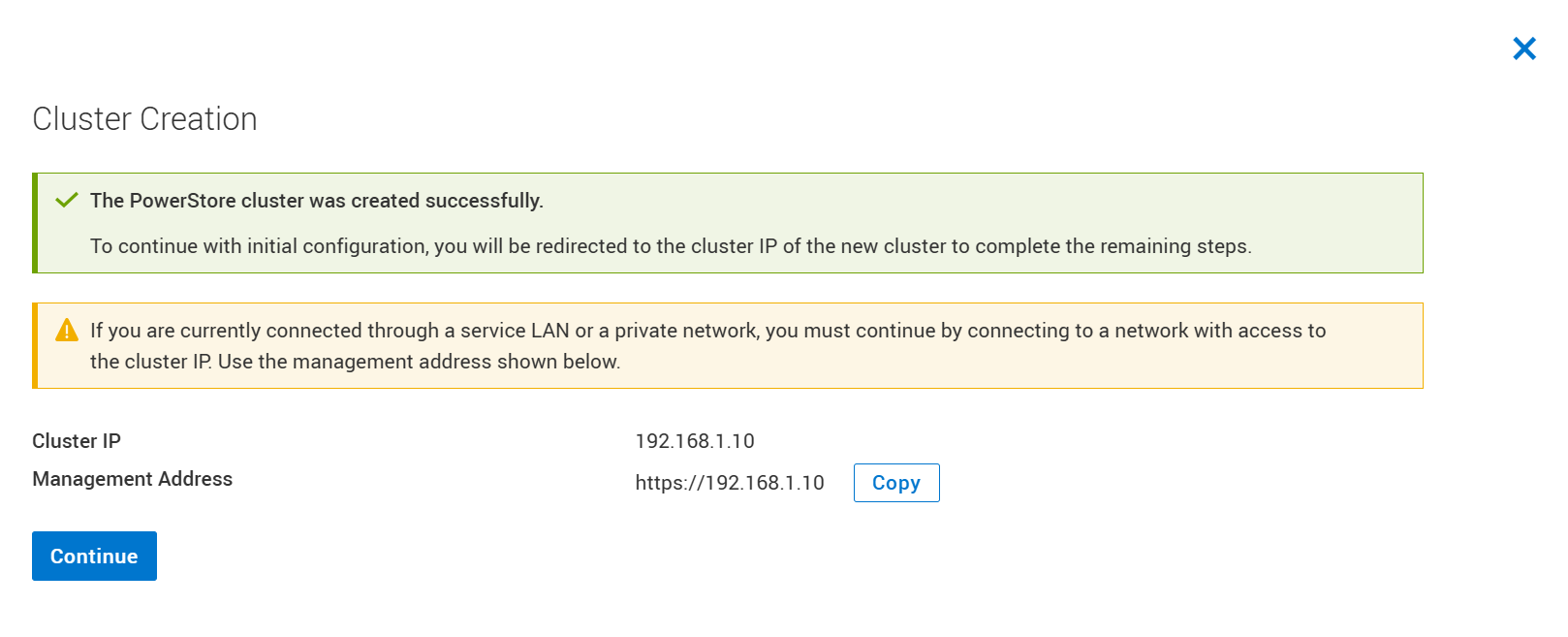
Once the compute and storage clusters are online, a few basic networking items for NVMe/TCP connectivity need to be configured. Finally, the Attach External Storage wizard in Prism takes care of everything else. The job finishes in less than a minute, and the cluster is then ready for VM deployment.
Flexible workload migration
Nutanix Move enables migration of VMs across hypervisors with minimal downtime. It supports multiple source and destination platforms including AHV, ESXi, Hyper-V, AWS, and Azure as well as multiple guest operating systems including Windows, RHEL, CentOS, Ubuntu, SUSE, and Debian.
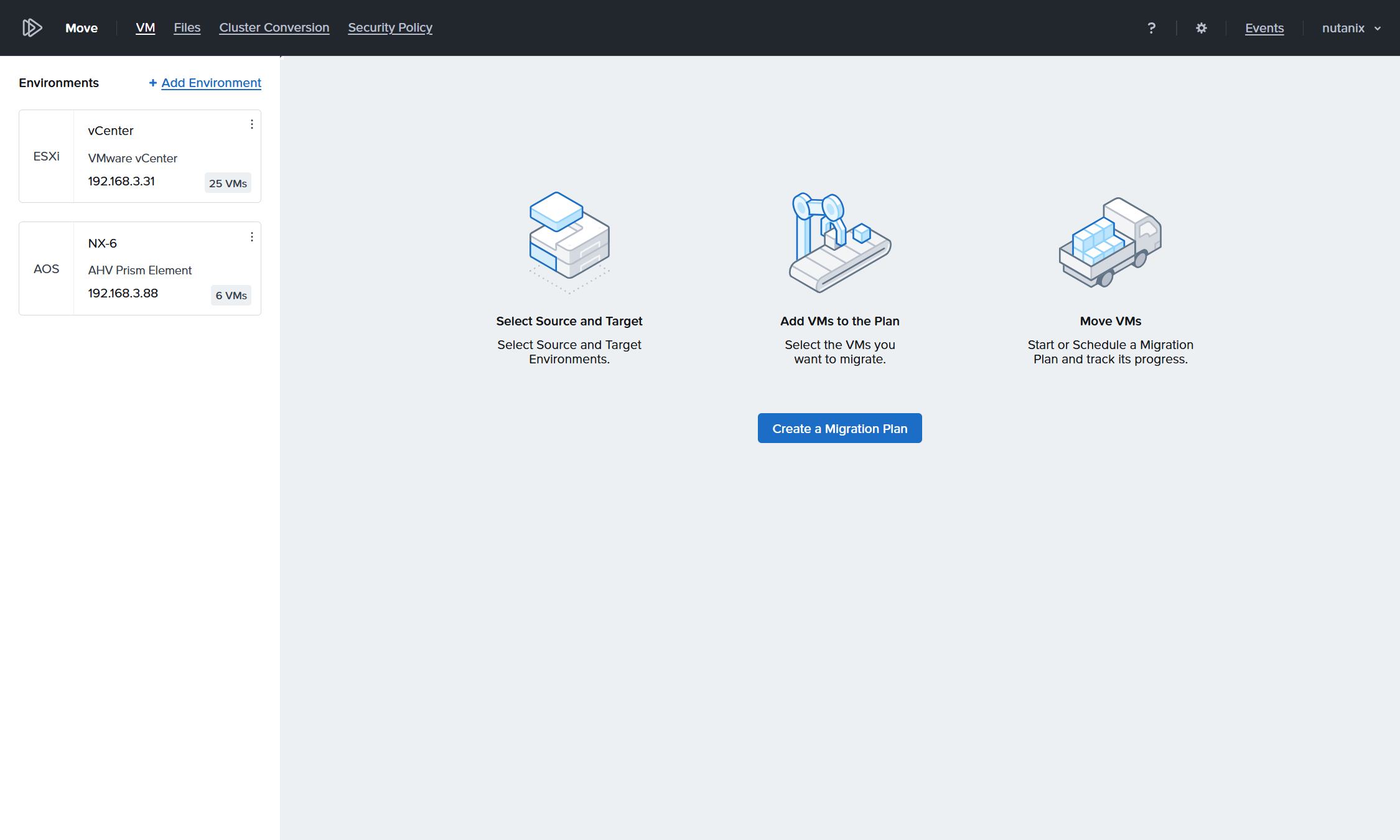
For customers already using AHV, Cross-Cluster Live Migration (CCLM) makes it easy to migrate VMs onto the compute-only cluster connected to Dell PowerStore. CCLM can be used to move VMs that are already being replicated between the source and destination cluster. For VMs that are not already being replicated, On-Demand Cross-Cluster Live Migration (OD-CCLM) can be used.
Conclusion
Dell PowerStore with Nutanix Cloud Platform brings together two world-class platforms to deliver a modern, flexible, and high-performance virtualization platform. By using PowerStore as external storage for Nutanix, organizations can deploy a disaggregated architecture that enables independent scaling of compute and storage, enhanced efficiency, high performance, built-in security, rich data services, and operational simplicity through a consistent and familiar user experience.
To summarize, administrators leverage VM-centric workflows within the Prism interface while storage provisioning is fully automated through REST API. VM I/O flows over high-performance NVMe/TCP networks, and PowerStore seamlessly delivers always-on data reduction, thin clones, snapshots, and encryption in the background. With enterprise-grade resilience, flexible disaster recovery, PowerProtect data protection, and end-to-end lifecycle management from Dell Private Cloud, the result is a future-ready foundation ideal for organizations modernizing their infrastructure to support everything from enterprise applications to containerized workloads.
Resources
The following resources provide more information about PowerStore:
- Dell PowerStore with Nutanix Cloud Platform white paper
- Nutanix Cloud Platform with Dell PowerStore Deployment Guide
- Nutanix AHV on Dell Private Cloud Administration Guide
- Dell PowerProtect Data Manager: Nutanix AHV Virtual Machine Protection white paper
- Nutanix AHV on DPC Support Matrix
- PowerStore Info Hub
- Nutanix Cloud Bible
- Nutanix Portal
Author: Wei Chen, Technical Staff, Engineering Technologist
Interested in reading more from this author? Check out Wei Chen on the Info Hub.