

Unsolved
4 Posts
0
949
November 6th, 2022 06:00
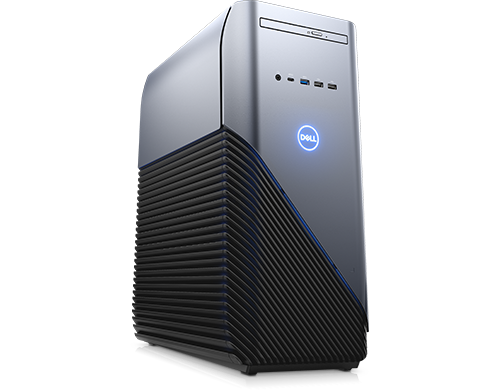
INSPIRON 5680
Inspiron 5680
I recently damaged my motherboard by putting the ram incorrectly ( I didn't latch it correctly) now when I turn on my pc I get the yellow flash error indicating my motherboard is dead pretty much, I wanted o know if any other alternative motherboards would work with this pc like a Gigabyte lga1151 or something like that because I heard this pc is propertiary or something like that and it wouldn't work with a different motherboard ( my motherboard is a 0pxwhk).
Also does a teamelite ram work with the motherboard I have (0pxwhk)?
0 events found
No Events found!
JOcean
11 Legend
•
12.6K Posts
•
69.5K Points
0
November 6th, 2022 08:00
What is the exact blink code, such as 2 then 1 or maybe 2 then 2 for example? This forum thread has more information on using a MB such as a Gigabyte. The power connectors are the same but the front panel connector is proprietary and you would have to modify it for use in a non Dell MB.
As for RAM the most compatible RAM for a Dell MB is from Crucial. But if you install a different MB then the manufacturer's QVL will list all the tested and compatible RAM. For example in my Gigabyte MB (a home built) I have Kingston Fury Beast RAM and it is rock solid.
redxps630
11 Legend
•
15.6K Posts
•
80.7K Points
1
November 6th, 2022 10:00
If your mobo is indeed damaged irreversibly and cannot post w Dell ram, you may install a non-Dell microatx Intel 300 series LGA1151 motherboard in the case and salvage the dell cpu/ram to be used w non-dell mobo. Note LGA1151 mobo can have 100,200,or 300 series chipset. You need to get the 300 series because that is the only chipset for coffeelake (intel 8th gen) cpu in 5680. The cpu is not backward c/w 100 or 200 series chipset even though all of them use same cpu socket.
This thread may help (JO) discussing 5680 mobo replacement.
povidlo
4 Posts
0
November 6th, 2022 19:00
If I remember it was a 2 then 2 yellow flashing light, I don't have my pc with me, I left it at a shop.
Also would this motherboard work https://jiji.co.ke/nairobi-central/computer-hardware/gigabyte-z370m-ds3h-lga-1151-intel-8th-gen-motherboard-fihDHkOkGyIBXAXsqw98h1VO.html?page=1&pos=2&cur_pos=2&ads_per_page=20&ads_count=260&lid=4ajwIA-bltglw6qB
I'm not in the us anymore I travelled to Kenya for work so I can't go to crucial.
I'm also pretty sure it killed my power supply as the power supply fan doesn't seem to work.
povidlo
4 Posts
0
November 6th, 2022 19:00
I don't have that motherboard here sadly as I'm not in the US anymore and I am now in Kenya but I think I can get an alternative, also would the ram be salvageable? As that's what killed my motherboard, as soon as I put my new ram incorrectly and turned on my pc it immediately went off and I smelt something burning like a smokey smell
redxps630
11 Legend
•
15.6K Posts
•
80.7K Points
0
November 6th, 2022 20:00
burning smell is a bad sign although not clear if it is psu or motherboard or both that got damaged. If you inspect the ram and it is in good physical condition chances still salvageable. The gigabyte z370m mobo should work but you will lose 5680 case lights.
povidlo
4 Posts
0
November 7th, 2022 04:00
Alright I get the z370 and personally I don't use the case lights so not bothered about that
And I'm worried that If I put the ram on the new motherboard it might also kill that one,it does look fine physically don't see any marks or burns , it's brand new
Also would any psu work? As it seems my fans psu are dead, something like this
https://jiji.co.ke/nairobi-central/computer-hardware/aigo-80-plus-bronze-gp650-650w-gaming-power-supply-psu-52kU62wcnLOGqwMqqcd2HTsi.html?page=1&pos=2&cur_pos=2&ads_per_page=24&ads_count=24&lid=IG_sMd2vo-EFipJ5